Mastering Writesonic: Bulk Content Generation Workflow
Learn how to produce high-quality blog posts, ad copy, and marketing materials at scale with Writesonic. Master bulk content generation, SEO optimization, and AI-powered writing workflows.
What You'll Learn
- Speed vs. Quality Balance: Writesonic reduces writing time by 70-80% while maintaining professional quality
- SEO Built-In: Unlike generic AI tools, Writesonic optimizes for search rankings automatically
- Bulk Scaling Power: Generate entire content calendars, product catalogs, or campaign assets in hours
- Real-Time Research: Chatsonic provides current data and fact-checking capabilities
- Human Touch Essential: Always add personal insights, verify facts, and align with brand voice
Tools Required:
Ready to Get Started?
Try Writesonic and follow along with this workflow:
💡 This is an affiliate link. We may earn a commission if you sign up, at no extra cost to you.
Mastering Writesonic: Bulk Content Generation Workflow
Estimated Time: 60-75 minutes
Difficulty: Intermediate
Tool Required: Writesonic account (Free trial or paid plan)
Category: Content Creation
What You'll Learn
Writesonic revolutionizes content creation by generating high-quality blog posts, ad copy, and marketing materials at scale. This workflow guide teaches you how to produce professional content 10x faster while maintaining quality and SEO optimization.
Whether you're a content marketer, blogger, agency owner, or entrepreneur, you'll discover proven workflows that transform hours of writing into minutes of AI-assisted creation—without sacrificing your brand voice or content quality.
Section 1: Getting Started with Writesonic
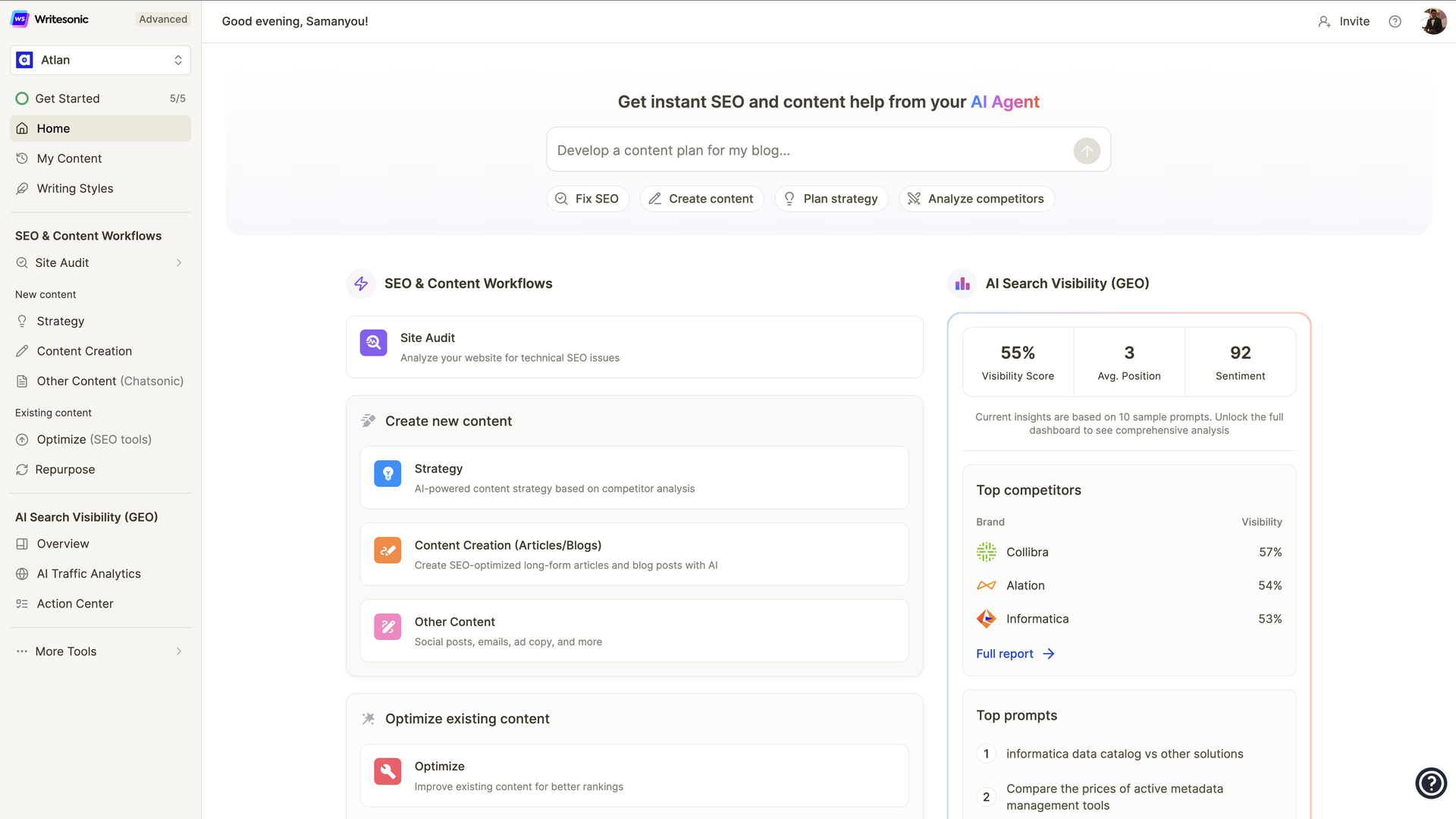
Writesonic provides an all-in-one content generation platform with specialized AI models for different content types. Unlike generic AI writing tools, Writesonic optimizes for marketing effectiveness, SEO performance, and conversion-focused copy.
Account Setup Process:
- Choose Your Plan based on content volume needs (Free: 10,000 words/month, Unlimited: $20/month)
- Select AI Model - GPT-4 for premium quality or GPT-3.5 for faster generation
- Configure Brand Voice - Input company details, tone preferences, and target audience
- Connect Integrations - Link WordPress, Shopify, or other CMS platforms
Key Dashboard Features:
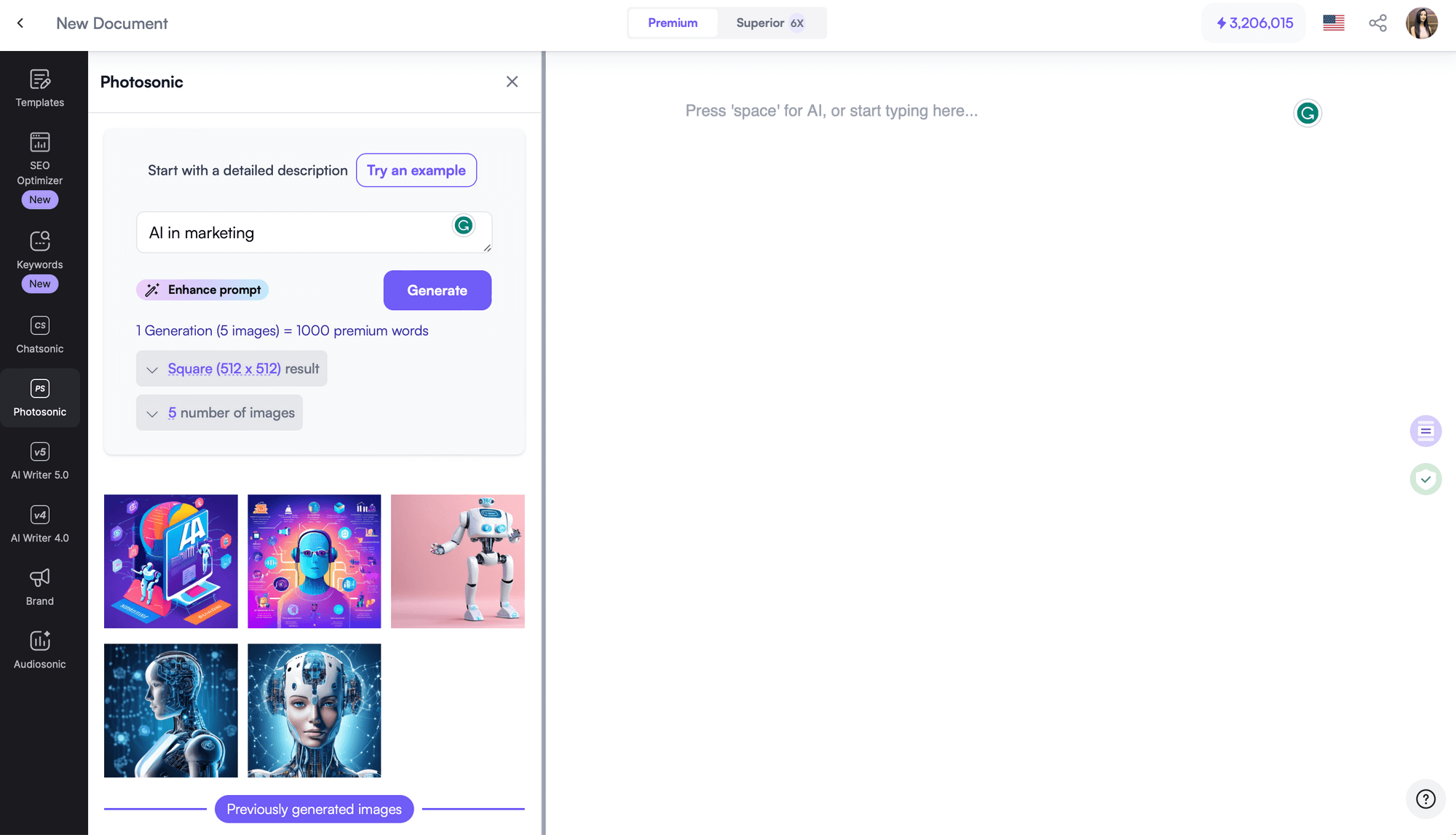
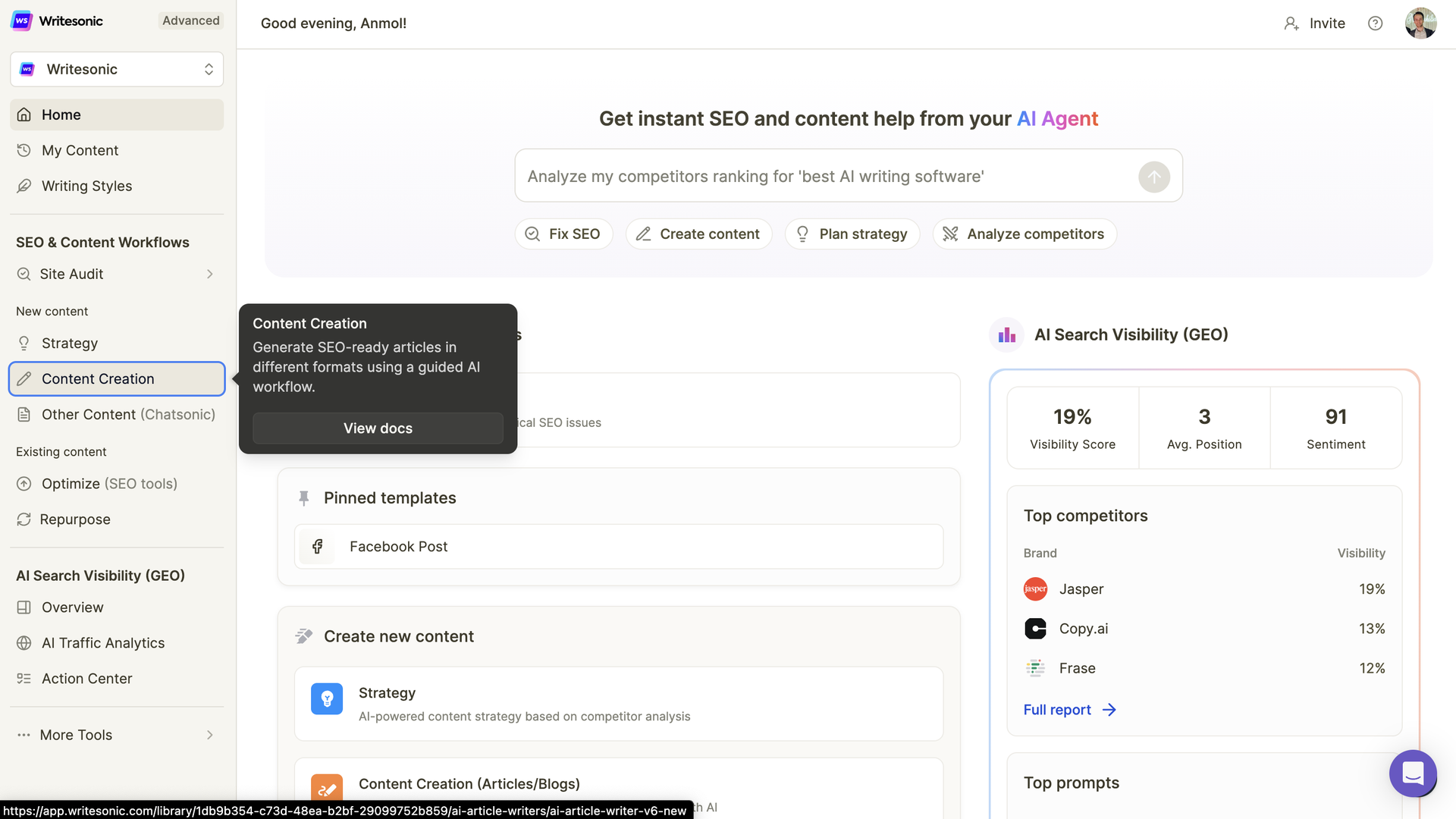
- Article Writer 6.0: Advanced long-form content generator with SEO optimization
- Chatsonic: Conversational AI assistant with real-time web search
- AI Article Ideas: Topic research and headline generation tool
- Sonic Editor: Built-in text editor with AI enhancement commands
- SEO Checker & Optimizer: Real-time content scoring and keyword optimization
Pro Setup Tips:
- Create Brand Profiles: Save multiple brand voices for different clients or projects
- Build Template Library: Store successful prompts for reuse across campaigns
- Set Quality Filters: Configure fact-checking and plagiarism detection settings
- Optimize Workspace: Organize folders by content type, client, or campaign
Section 2: Article Writer 6.0 Workflow
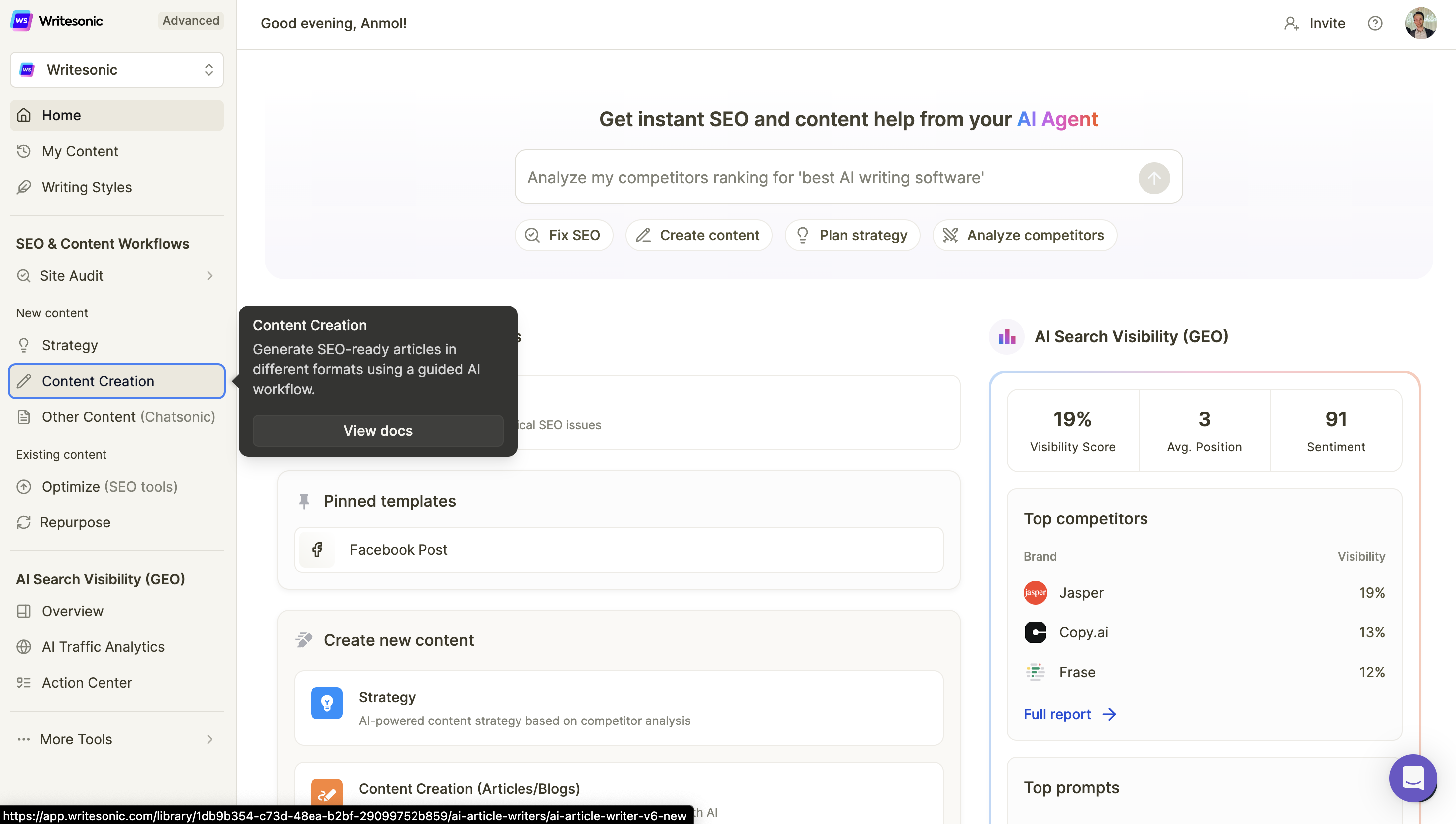
Article Writer 6.0 is Writesonic's flagship feature for generating complete blog posts from a single topic input. The AI analyzes top-ranking content, incorporates SEO best practices, and produces publication-ready articles.
Step-by-Step Article Generation:
Input Phase:
- Enter Topic/Keyword - Be specific: "How to Reduce Customer Churn in SaaS" vs. "Customer Retention"
- Select Article Type - Choose from: How-to Guide, Listicle, Comparison, Review, News Article
- Set Parameters:
- Word count (500-3,000 words)
- Tone (Professional, Casual, Technical, Persuasive)
- Point of view (First person, Second person, Third person)
- Add Context - Provide key points, statistics, or specific angles to cover
Generation Phase: The AI creates content in stages:
- Outline Generation (5-10 sections with subheadings)
- Introduction Draft (Hook + problem statement + article preview)
- Body Content (Detailed sections with examples and data)
- Conclusion (Summary + call-to-action)
Enhancement Phase:
- SEO Optimization - Add target keywords naturally throughout content
- Fact Verification - Review AI-generated statistics and claims
- Tone Adjustment - Refine language to match brand voice
- Readability Enhancement - Break up long paragraphs, add subheadings
Real-World Article Workflow:
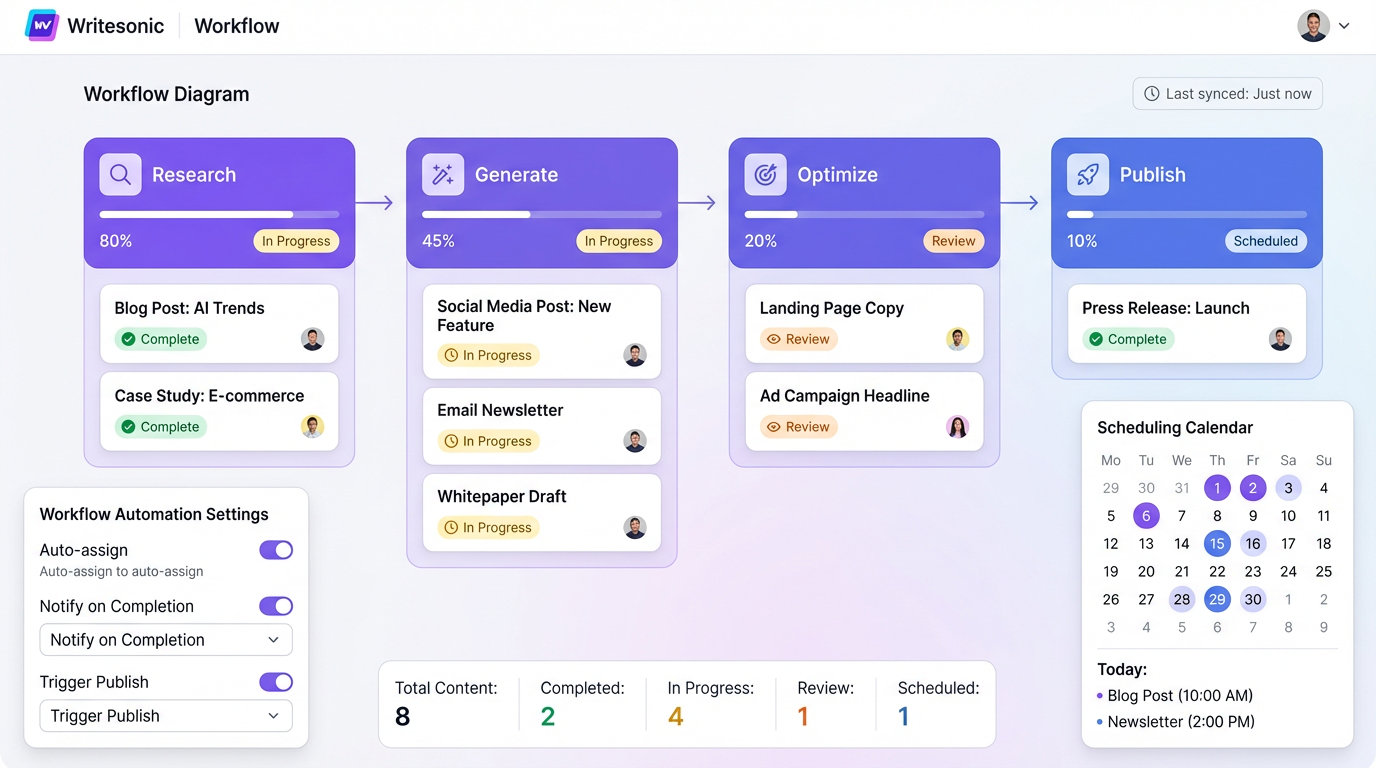
- Research Phase (5-10 minutes): Use AI Article Ideas to generate 20+ topic suggestions
- Generation Phase (3-5 minutes): Create first draft with Article Writer 6.0
- Optimization Phase (10-15 minutes): Apply SEO recommendations and fact-check
- Human Polish (5-10 minutes): Add personal insights, examples, and brand-specific details
- Final Review (5 minutes): Grammar check and readability score validation
Total Time: 30-45 minutes
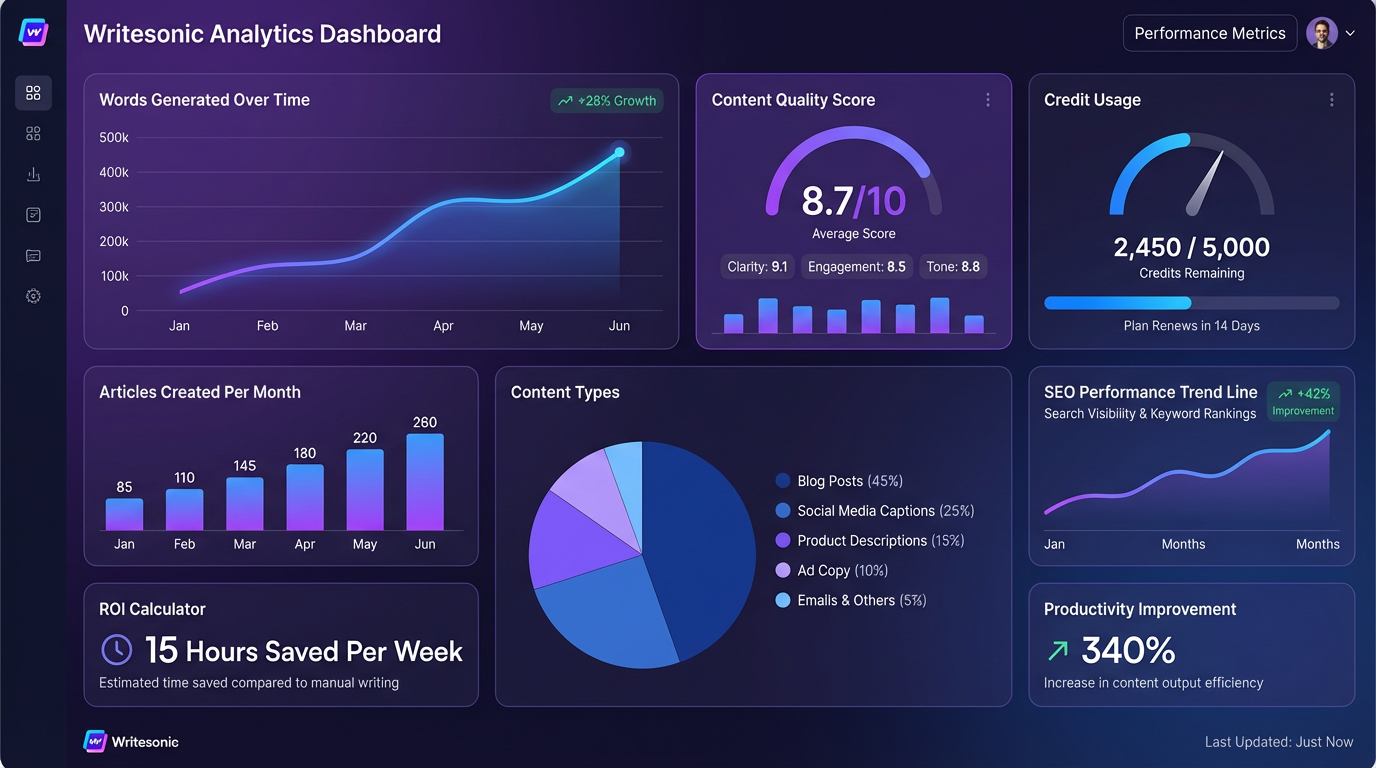
for publication-ready 1,500-2,000 word article
Section 3: Bulk Content Scaling
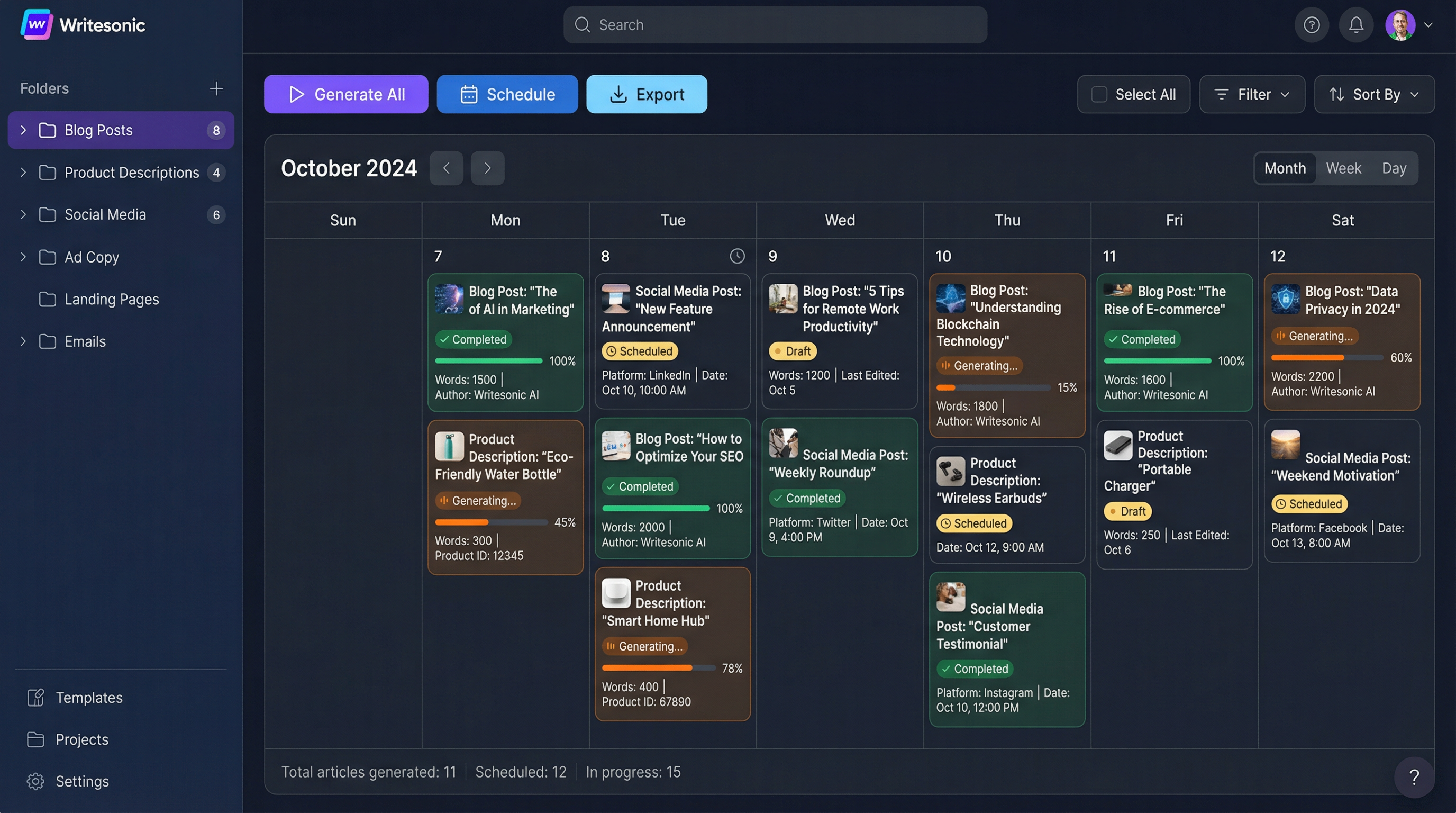
Writesonic excels at producing multiple pieces of content simultaneously—ideal for content calendars, product descriptions, or multi-channel campaigns.
Bulk Generation Strategies:
Content Calendar Execution: Create an entire month's content in one session:
- Week 1-2: Generate 8-10 blog post outlines
- Week 3: Produce all articles using saved outlines
- Week 4: Batch-edit and optimize for SEO
E-commerce Product Descriptions:
- Input product name + key features
- Generate 5 variations per product
- A/B test different descriptions for conversion optimization
- Scale to hundreds of products in hours vs. weeks
Social Media Content Pipeline:
- Create 30-day content calendar from single topic
- Generate platform-specific variations (LinkedIn vs. Twitter vs. Instagram)
- Produce caption + image description + hashtag sets
- Schedule directly to social management tools
Email Campaign Workflows:
- Subject Line Generator: Create 10+ variations for A/B testing
- Email Body Creator: Generate welcome series, nurture sequences, promotional emails
- Personalization Engine: Adapt copy for different audience segments
- Follow-up Automation: Create multi-touch sequences automatically
Bulk Workflow Best Practices:
- Batch Similar Content: Group blog posts, product descriptions, or ad copy separately
- Use Templates: Save high-performing structures for rapid replication
- Quality Control Gates: Review every 5th piece to catch AI drift or quality issues
- Version Control: Save multiple drafts before committing to final versions
Section 4: SEO Optimization Features
Writesonic's built-in SEO tools ensure content ranks well while maintaining readability and conversion focus.
SEO Workflow Integration:
Keyword Research:
- AI-powered keyword suggestions based on topic
- Search volume and difficulty scores
- Long-tail keyword opportunities
- Competitor keyword analysis
On-Page SEO Optimization:
- Title Tag Creation: Generate SEO-friendly titles with target keywords
- Meta Description Writing: 155-character summaries optimized for click-through
- Header Hierarchy: Automatic H1-H6 structure for content organization
- Internal Linking Suggestions: Identify opportunities for site architecture
Content Scoring: Real-time feedback on:
- Keyword density and placement
- Readability scores (Flesch-Kincaid, SMOG)
- Content length vs. top-ranking competitors
- LSI keyword inclusion
- Image alt text optimization
SEO Enhancement Workflow:
- Generate Base Content with target keyword focus
- Run SEO Audit using built-in checker
- Apply Recommendations:
- Add missing keywords naturally
- Improve heading structure
- Enhance meta descriptions
- Optimize content length
- Competitor Analysis: Compare against top 3 ranking articles
- Final Optimization: Adjust based on scoring feedback
Advanced SEO Techniques:
- Featured Snippet Targeting: Structure content for position zero
- Question-Based Content: Address "People Also Ask" queries
- Schema Markup Suggestions: Implement structured data recommendations
- Content Gap Analysis: Identify missing topics in existing content
Section 5: Chatsonic - Conversational AI
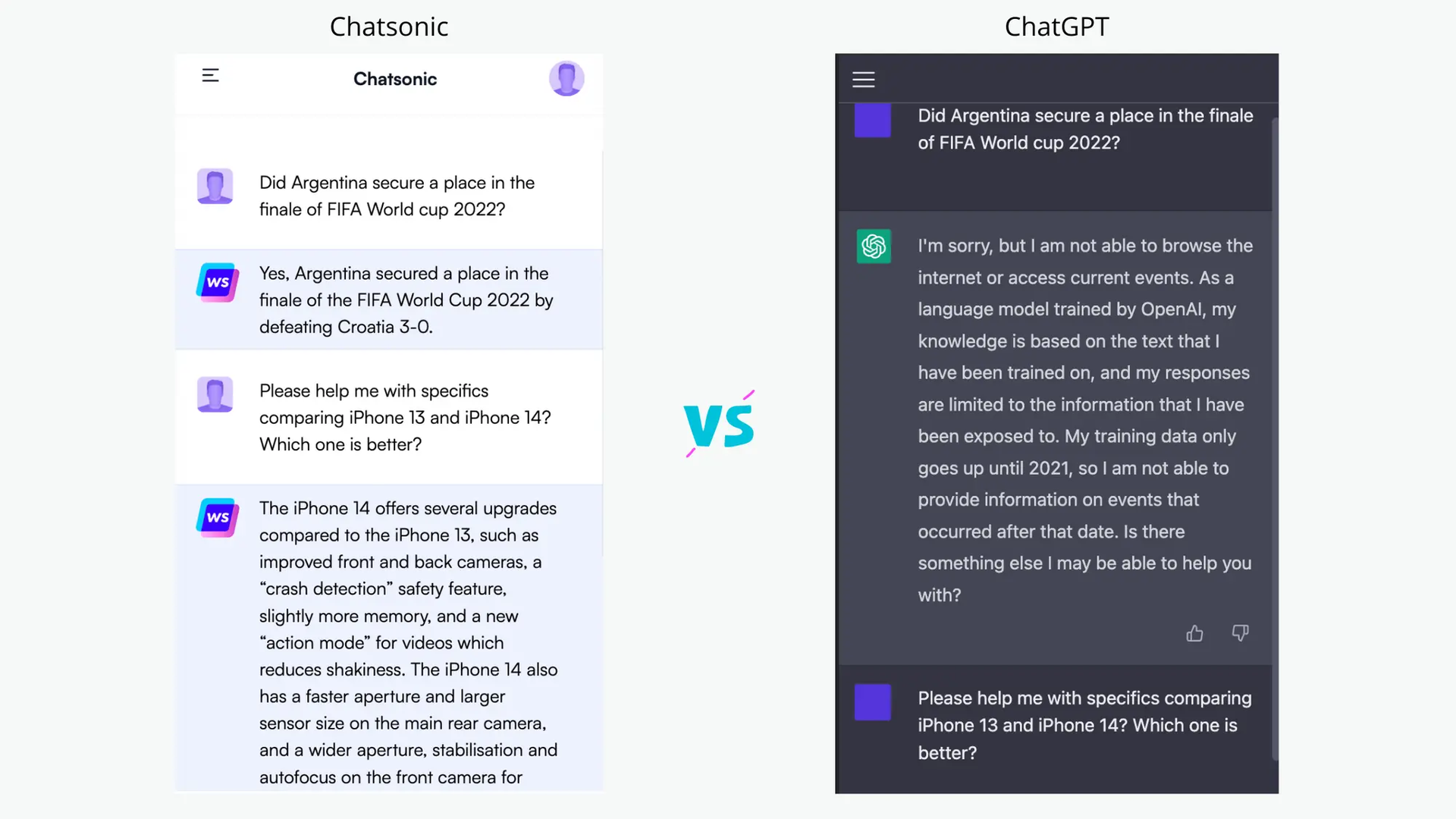
Chatsonic functions as an AI research assistant with real-time web access, image generation, and voice interaction capabilities.
Chatsonic Key Features:
Real-Time Information:
- Access current events, news, and data (unlike ChatGPT's knowledge cutoff)
- Verify facts with cited sources
- Research trending topics and viral content
- Get updated statistics and market data
Content Research Workflow:
- Topic Exploration: "Find 10 trending topics in [industry] this week"
- Competitor Analysis: "Analyze top 3 articles ranking for [keyword]"
- Statistic Gathering: "Provide latest statistics on [topic] with sources"
- Expert Quotes: "Find recent expert opinions on [subject]"
Image Generation:
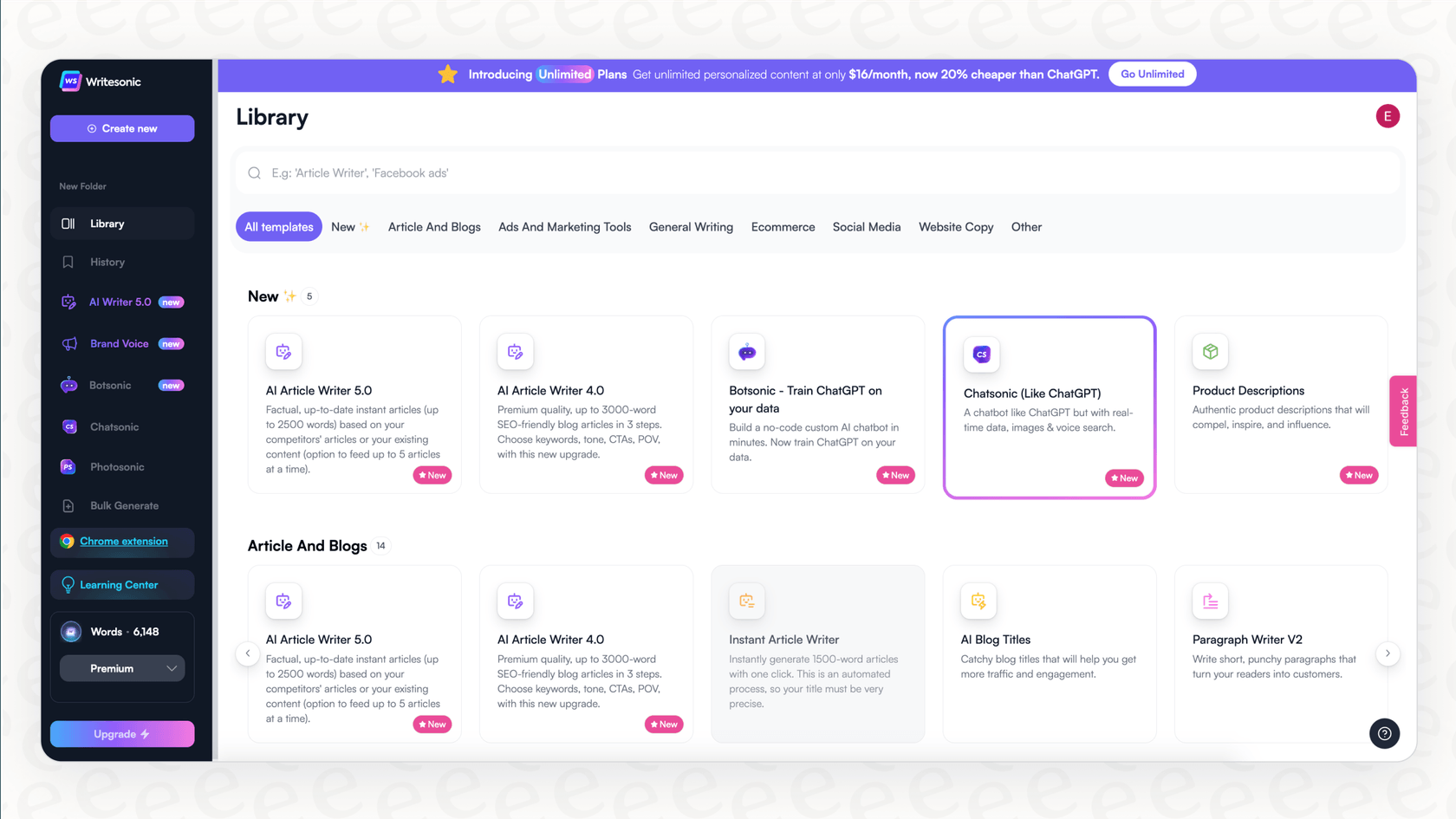
- Create custom visuals for blog posts
- Generate social media graphics
- Produce infographic elements
- Design thumbnail concepts
Voice Commands:
- Dictate content ideas while multitasking
- Voice-to-text for rapid content creation
- Audio file transcription
- Podcast episode summarization
Chatsonic Use Cases:
- Content Brainstorming: Generate 50+ ideas in 5 minutes
- Fact-Checking: Verify AI-generated claims with current data
- Trend Monitoring: Stay updated on industry developments
- Quick Rewrites: Adapt content for different platforms or audiences
Section 6: Quality Control & Editing
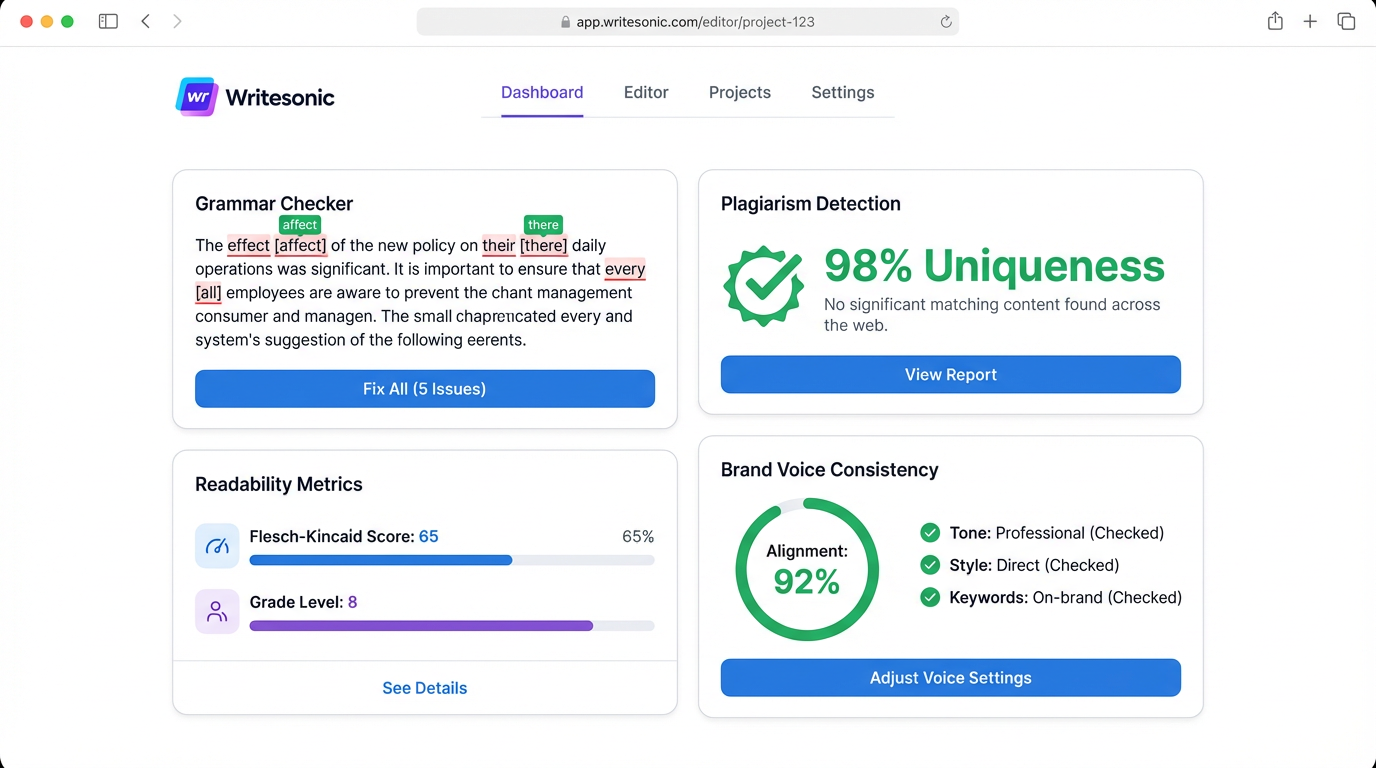
AI-generated content requires human oversight to ensure accuracy, brand alignment, and authentic voice.
Quality Assurance Workflow:
Level 1: Automated Checks
- Grammar & Spelling: Integrated Grammarly-style checking
- Plagiarism Detection: Ensure originality and uniqueness
- Readability Scores: Target 8th-grade level for general audiences
- Brand Voice Consistency: Match against saved brand profiles
Level 2: Human Review
Critical areas requiring manual verification:
- Factual Accuracy: Verify statistics, dates, and claims
- Brand Alignment: Ensure messaging matches company guidelines
- Tone Consistency: Check for AI "drift" in longer pieces
- Unique Insights: Add personal experiences and expert perspectives
Common AI Content Issues:
Problem #1: Generic Statements
Issue: AI generates surface-level content without depth
Solution: Add specific examples, case studies, and data points
Problem #2: Repetitive Phrasing
Issue: Similar sentence structures throughout article
Solution: Use Sonic Editor's "Rephrase" command for variety
Problem #3: Outdated Information
Issue: AI training data may be months old
Solution: Verify current statistics with Chatsonic's real-time search
Problem #4: Lack of Personality
Issue: Content sounds robotic or overly formal
Solution: Inject personal anecdotes, humor, and conversational elements
Editing Best Practices:
- 80/20 Rule: Let AI handle 80% of drafting, focus 20% human time on enhancement
- Section-by-Section Review: Edit in chunks rather than full article at once
- Read Aloud: Catch awkward phrasing and improve flow
- Comparative Analysis: Compare against top-ranking competitor content
Section 7: Common Mistakes to Avoid
Even experienced users make these errors that reduce content quality and waste credits.
Mistake #1: Vague Prompts
Problem: "Write about marketing" produces generic content
Solution: "Write a 1,500-word guide on email marketing segmentation for B2B SaaS companies, including 3 case studies and actionable tactics"
Mistake #2: Skipping Brand Voice Setup
Problem: Inconsistent tone across content pieces
Solution: Spend 10 minutes creating detailed brand voice profile upfront
Mistake #3: Publishing AI Output Directly
Problem: Generic content that doesn't rank or convert
Solution: Always add human insights, current data, and unique perspectives
Mistake #4: Ignoring SEO Recommendations
Problem: Content doesn't rank despite being well-written
Solution: Follow SEO checker suggestions before publishing
Mistake #5: Not Testing Different Models
Problem: Using GPT-3.5 for complex technical content
Solution: Use GPT-4 for specialized or high-stakes content
Mistake #6: Overusing Credits on Low-Value Content
Problem: Running out of words on social media posts
Solution: Reserve AI for long-form content; handle short copy manually
Mistake #7: No Quality Control Process
Problem: Publishing factually incorrect or off-brand content
Solution: Implement multi-stage review: AI → Human Edit → Final Approval
Key Takeaways
- Speed vs. Quality Balance: Writesonic reduces writing time by 70-80% while maintaining professional quality
- SEO Built-In: Unlike generic AI tools, Writesonic optimizes for search rankings automatically
- Bulk Scaling Power: Generate entire content calendars, product catalogs, or campaign assets in hours
- Real-Time Research: Chatsonic provides current data and fact-checking capabilities
- Human Touch Essential: Always add personal insights, verify facts, and align with brand voice
Tools Required
- Writesonic Account (Free trial or paid plan: $20-$99/month)
- Optional: WordPress/CMS integration for direct publishing
Next Steps
Start with one content type—blog posts, product descriptions, or ad copy—and master that workflow before expanding to other use cases. The key to Writesonic mastery is finding the right balance between AI efficiency and human creativity.
Remember: Writesonic is a powerful drafting assistant, not a replacement for editorial judgment. Use it to handle the heavy lifting of content creation while you focus on strategy, unique insights, and brand differentiation.
Ready to Implement This Workflow?
Start using Writesonic today and follow this step-by-step guide to save hours every week.
Start Writesonic Free Trial