Complete Claude Workflow Guide
Master Claude AI with this comprehensive workflow guide. Learn professional techniques for extended conversations, document analysis, and collaborative problem-solving.
What You'll Learn
- Master Claude's 200K token context window for document analysis
- Use structured prompting patterns for better results
- Leverage conversation templates for efficiency
- Apply batch processing to repetitive tasks
- Utilize collaborative problem-solving techniques
Tools Required:
Ready to Get Started?
Try Claude AI and follow along with this workflow:
💡 This is an affiliate link. We may earn a commission if you sign up, at no extra cost to you.
Complete Claude Workflow Guide
Master Claude AI with this comprehensive workflow guide. Learn professional techniques for extended conversations, document analysis, and collaborative problem-solving.
Section 1: Understanding the Claude Dashboard
Claude's interface is designed for extended, nuanced conversations. Unlike traditional chatbots, Claude excels at maintaining context across long interactions and handling complex, multi-part requests.
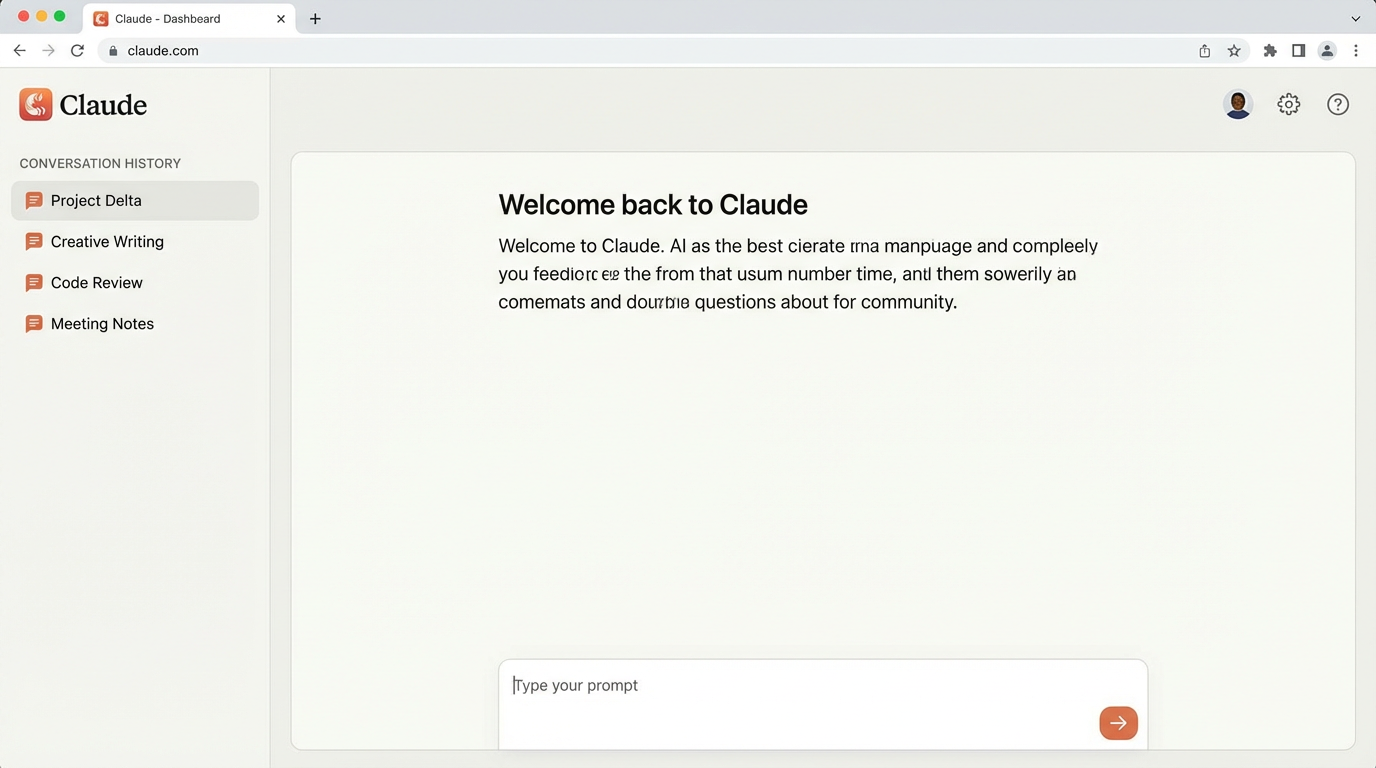
Key Dashboard Features:
The conversation history sidebar organizes your chats by project or topic. Each conversation maintains full context, allowing you to return days later and continue where you left off. This persistent memory is one of Claude's defining features—conversations don't just disappear after 24 hours like many competitors.
The model selector lets you choose between Claude 3 Opus (most capable, 200K context window), Claude 3 Sonnet (balanced performance and speed, 200K context), and Claude 3 Haiku (fastest responses, 200K context). Each model has different capabilities:
Claude 3 Opus:
- Best for complex analysis, creative writing, and nuanced tasks
- Superior reasoning and problem-solving capabilities
- Ideal for professional use cases requiring highest accuracy
- Slightly slower response times but unmatched quality
Claude 3 Sonnet:
- Balanced speed and intelligence
- Excellent for most daily workflows
- Strong at technical tasks and coding
- Best value for general productivity
Claude 3 Haiku:
- Lightning-fast responses
- Great for simple queries and quick tasks
- Cost-effective for high-volume usage
- Perfect for customer support applications
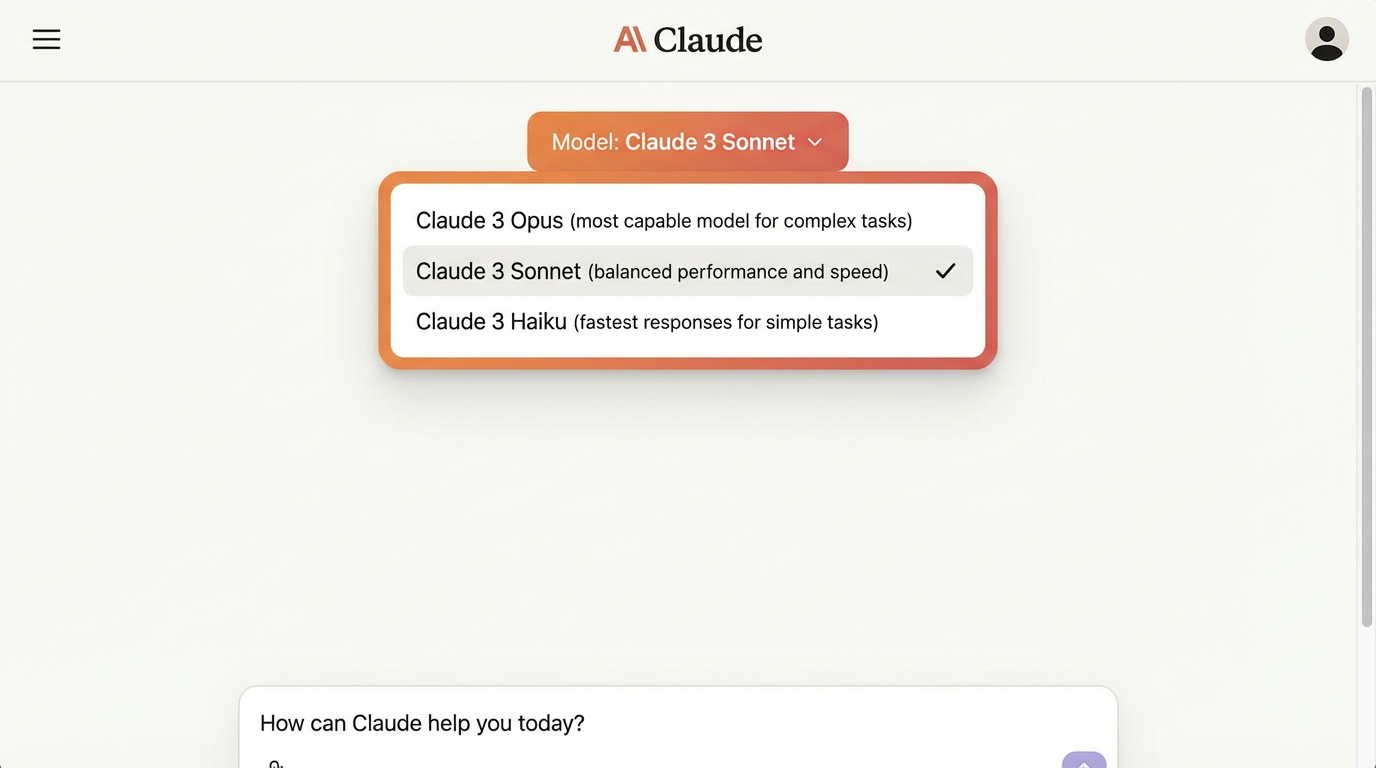
Pro Dashboard Tips:
- Use descriptive conversation titles for easy retrieval (e.g., "Q1 2025 Marketing Plan - SaaS Launch" instead of "Chat 1")
- Archive completed projects to declutter your workspace and maintain focus
- Enable conversation sharing for team collaboration—multiple team members can contribute to the same Claude conversation
- Set conversation-specific preferences for consistent outputs (tone, format, detail level)
- Pin important conversations to the top of your sidebar for quick access
- Use the search function to find specific conversations or topics across your entire history
Section 2: Mastering Conversation Techniques
Claude's strength lies in its ability to handle complex, multi-turn conversations with remarkable context retention.
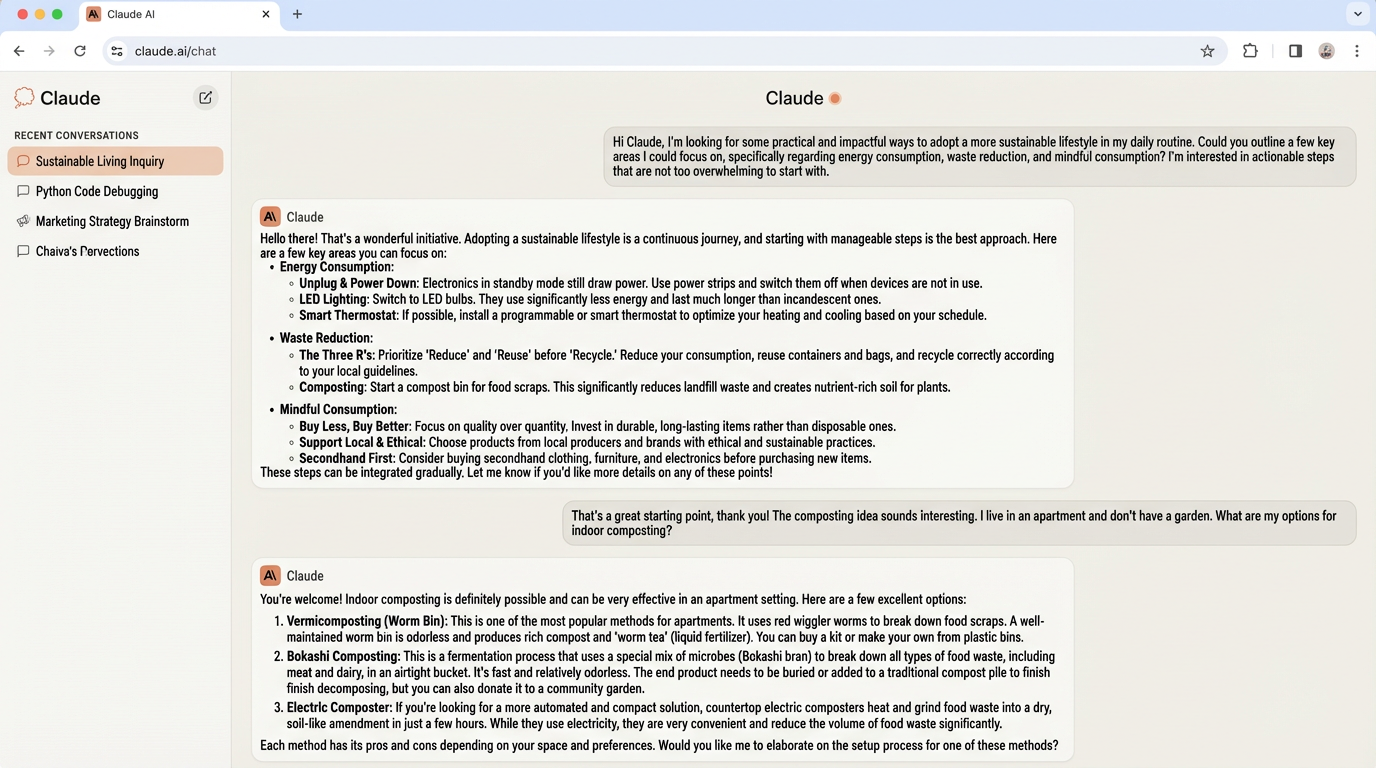
Conversation Management Best Practices
Start with clear context-setting. Claude performs best when you provide comprehensive background information upfront rather than revealing details incrementally. This "context-first" approach allows Claude to understand your goals, constraints, and preferences from the beginning.
Poor Opening: "Help me with marketing."
Strong Opening: "I'm working on a marketing strategy for a SaaS product targeting small businesses. The product is project management software with AI-powered task prioritization. Our budget is $5,000/month, and we're focusing on content marketing and SEO. I need help developing a content calendar for Q1 2025 that aligns with our primary keyword targets around 'project management for small teams' and 'AI task management.'"
The difference? The strong opening gives Claude everything it needs to provide targeted, actionable advice.
Context-Setting Checklist:
- Who is your audience?
- What are your constraints (budget, time, resources)?
- What format do you need the output in?
- What's your ultimate goal?
- What have you already tried?
Effective Prompting Patterns
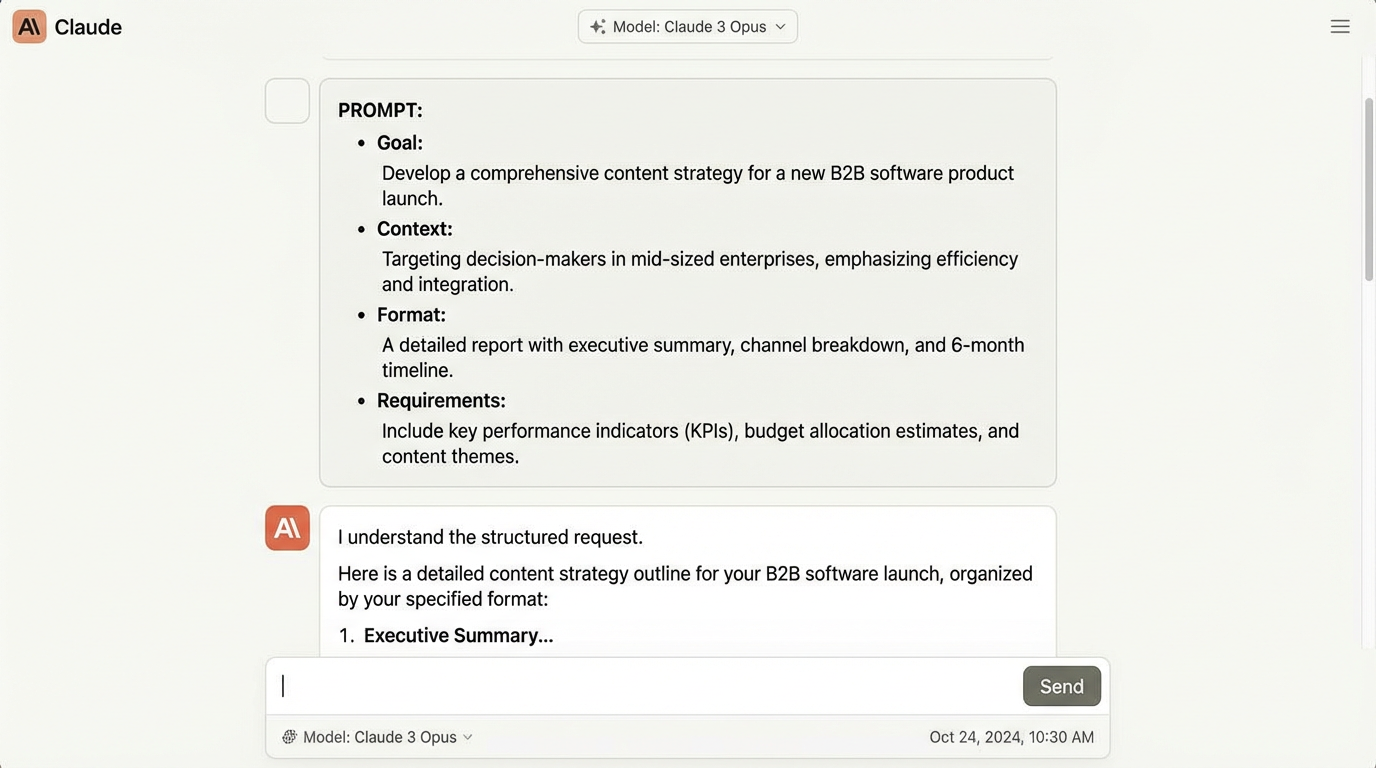
The Structured Request:
- State your goal clearly
- Provide relevant context
- Specify desired format
- Include constraints or requirements
Example: "Goal: Create an email sequence for abandoned cart recovery. Context: E-commerce store selling eco-friendly products, average cart value $75, 35% cart abandonment rate. Format: 3 emails over 7 days, casual but professional tone, 150-200 words each. Requirements: Include discount offer in email 2, testimonials in email 3, mobile-friendly formatting."
The Iterative Refinement: Start broad, then narrow down with follow-up prompts:
Initial: "Brainstorm blog post ideas for a cybersecurity SaaS company." Follow-up 1: "Expand on idea #3 (Zero Trust Architecture). Give me an outline." Follow-up 2: "Write the introduction section using a storytelling approach." Follow-up 3: "Make it more technical for a CISO audience."
This iterative approach leverages Claude's context retention—each response builds on the previous one without needing to repeat information.
The Role-Play Technique: Ask Claude to adopt a specific perspective or expertise level:
"Act as a senior UX designer reviewing this app interface. Provide detailed critique focusing on accessibility, information hierarchy, and user flow. Be direct and specific with improvement suggestions."
This technique dramatically improves response quality by giving Claude a clear frame of reference.
Section 3: Productivity Workflows
Claude excels at tasks requiring deep analysis, creative thinking, and structured outputs.
Document Analysis Workflow
Upload documents (PDFs, text files) directly into Claude for comprehensive analysis. Claude can process lengthy documents—up to 200,000 tokens (roughly 150,000 words)—and provide detailed insights while maintaining accuracy.
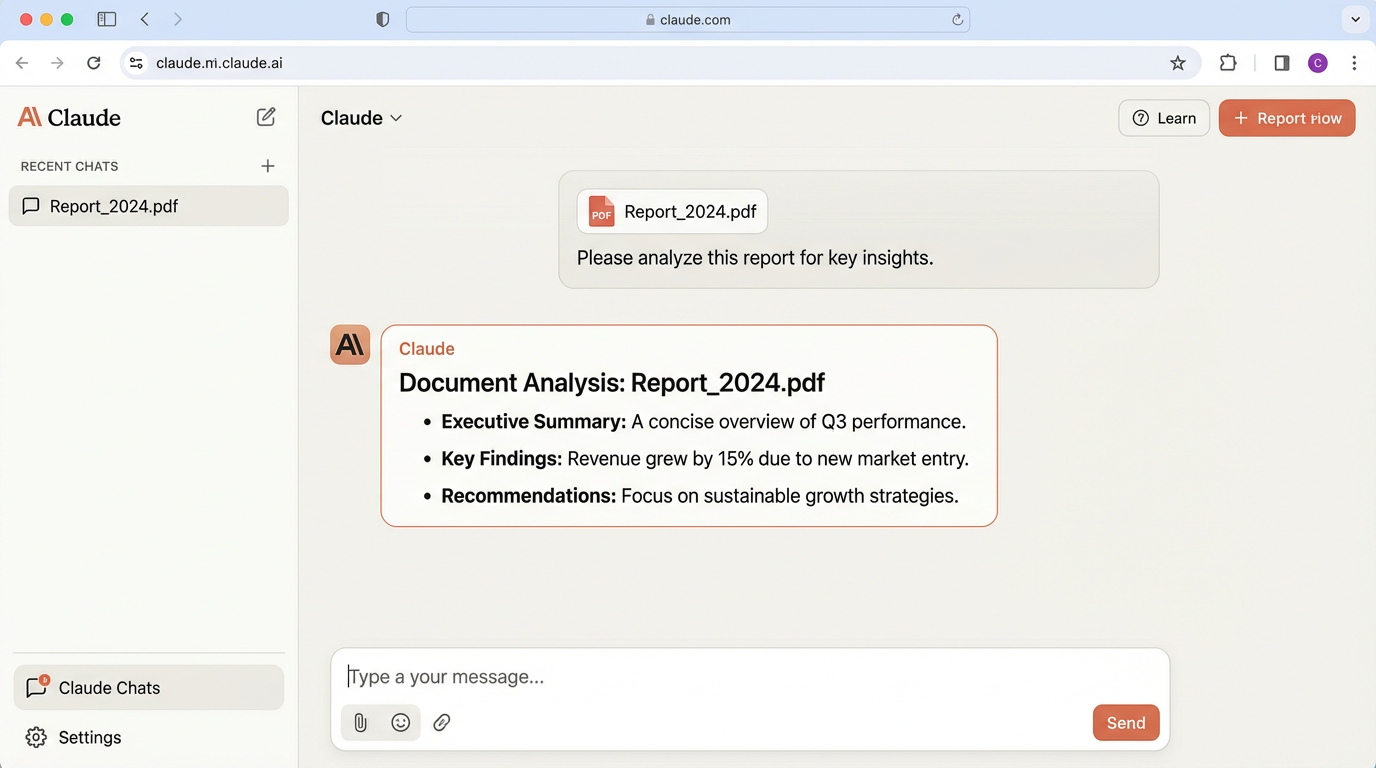
Use Case: Contract Review
- Upload legal document (employment agreement, service contract, NDA)
- Ask: "Summarize key obligations, identify potential risks, and flag unclear terms that need clarification"
- Claude provides structured analysis with specific references to clause numbers
- Follow-up: "Draft questions to ask legal counsel about the risks you identified"
Real-World Application: A startup founder used Claude to review a 47-page vendor contract. Claude identified 3 problematic clauses (automatic renewal terms, liability caps, IP ownership ambiguities) and suggested specific negotiation points. This saved $2,500 in preliminary legal review fees.
Document Types Claude Handles Well:
- Legal contracts and agreements
- Academic research papers
- Financial reports and statements
- Technical documentation
- Meeting transcripts and notes
- Product specifications
- RFP/RFQ documents
Research & Analysis Workflow
Claude can synthesize information from multiple sources, identify patterns, and generate insights that would take hours of manual analysis.
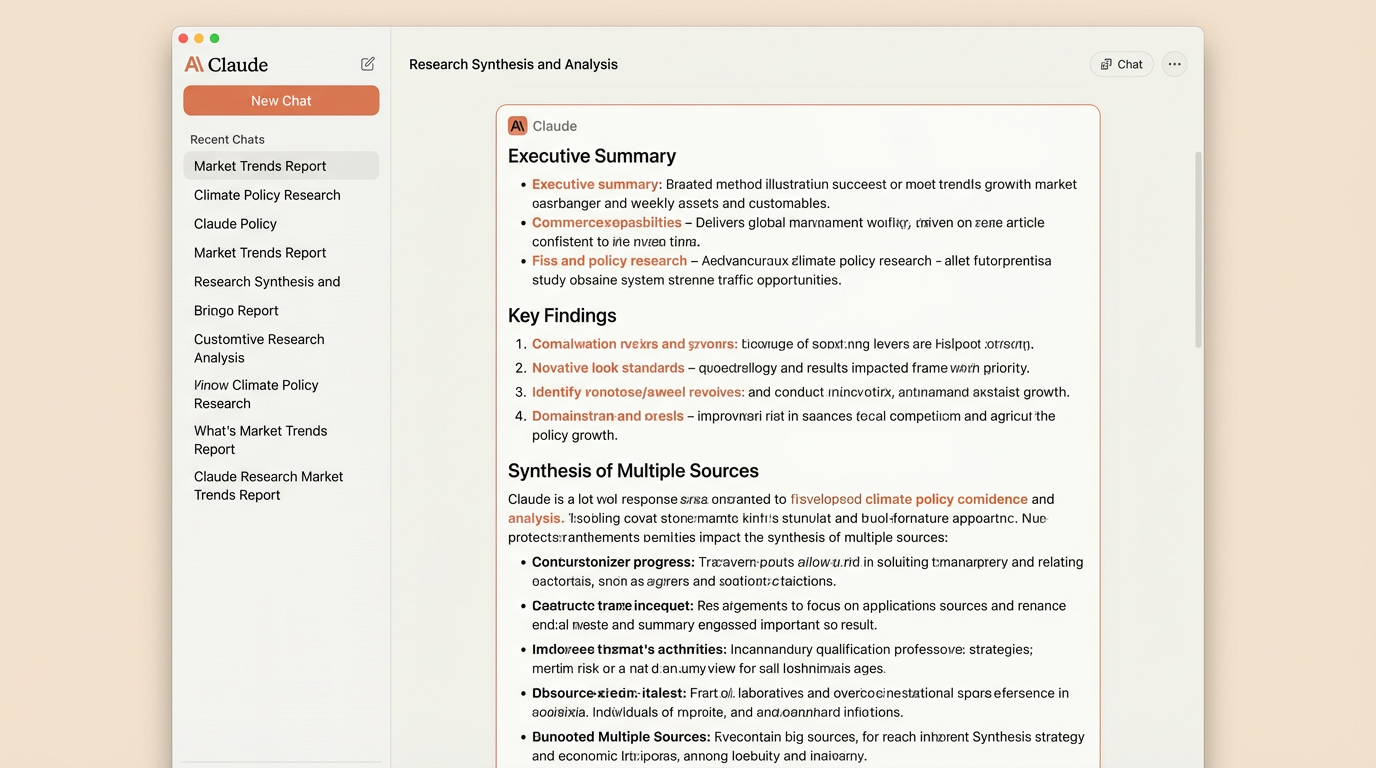
Research Process:
- Provide source materials or summaries (paste text, upload PDFs)
- Define your research question clearly
- Request structured analysis with specific frameworks
- Iterate with follow-up questions to drill deeper
Example: "Based on these three articles about AI regulation [paste summaries], analyze the common themes, identify diverging viewpoints, and predict likely regulatory trends for 2025. Structure your analysis as: 1) Consensus areas, 2) Debate points, 3) Predictions with confidence levels."
Competitive Intelligence Workflow:
- Paste competitor website content, product pages, pricing info
- Ask: "Analyze their positioning, identify gaps in their offering, and suggest differentiation strategies"
- Follow-up: "Draft messaging angles that highlight our advantages without directly naming competitors"
This workflow has helped marketing teams cut competitive analysis time from 8 hours to 45 minutes while producing more thorough insights.
Section 4: Advanced Techniques
Extended Context Windows
Claude's large context window (200K+ tokens) enables unique workflows:
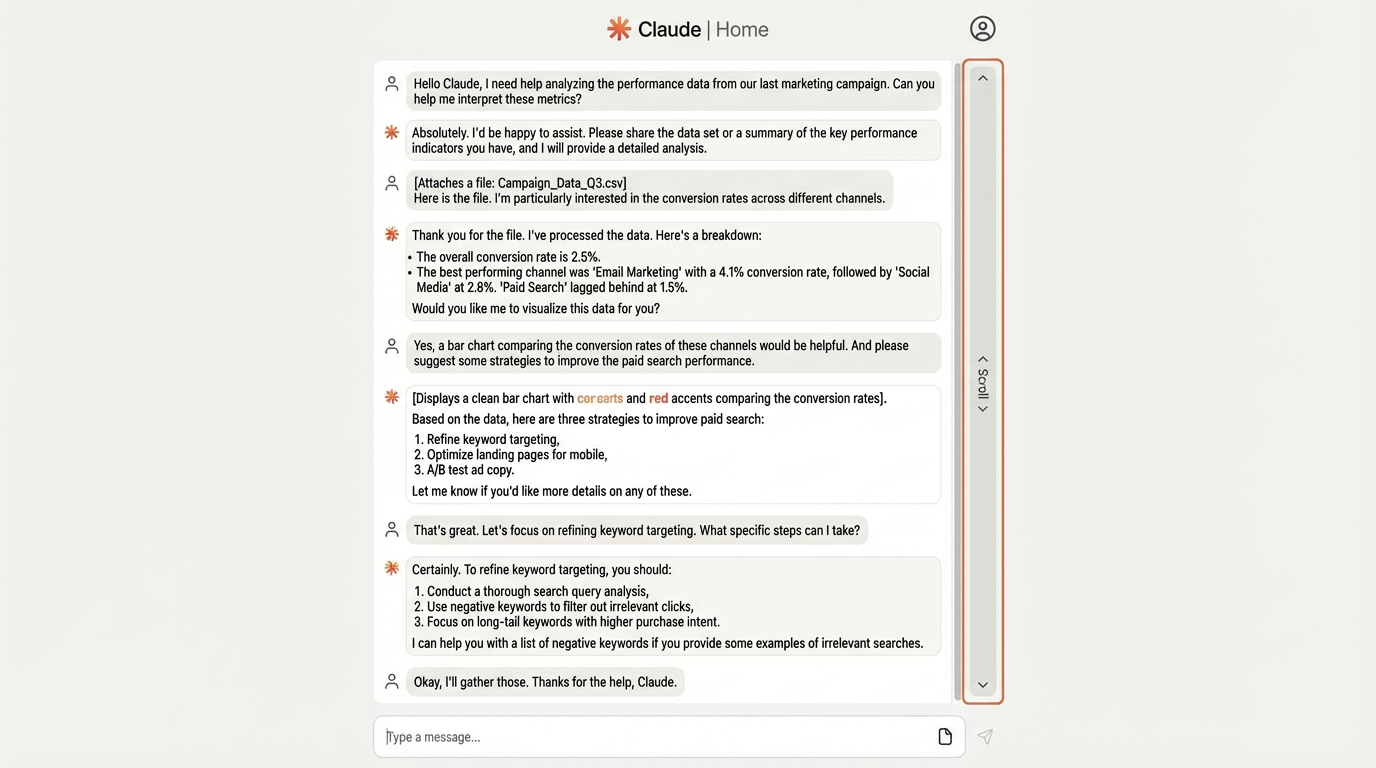
Long Document Editing:
- Paste entire manuscripts or reports
- Request comprehensive edits with consistent voice
- Track changes across multiple iterations
Multi-Source Synthesis:
- Combine information from 10+ sources
- Generate comprehensive reports
- Maintain citation accuracy
Collaborative Problem-Solving
Use Claude as a thinking partner for complex challenges:
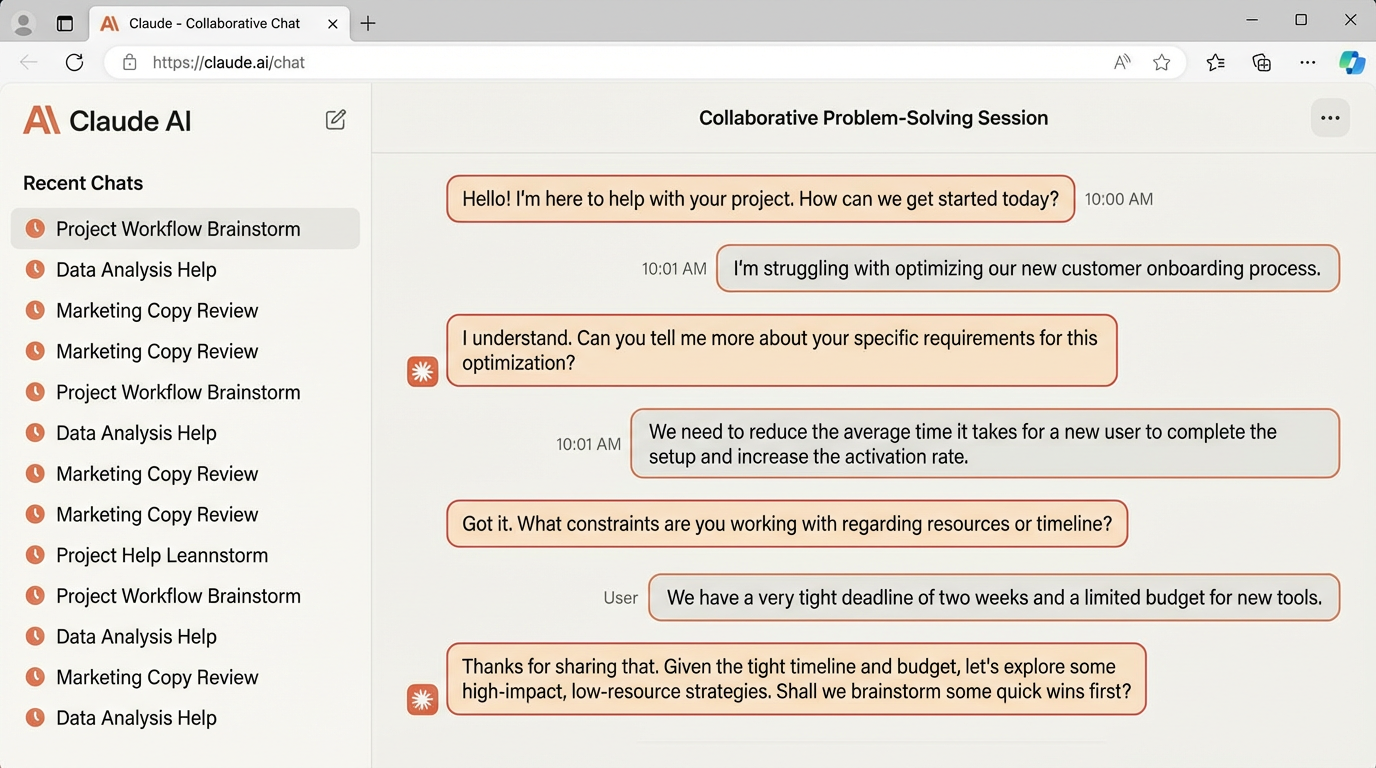
The Socratic Method:
- Present your problem
- Ask Claude to ask YOU clarifying questions
- Work through the problem collaboratively
- Arrive at solutions through dialogue
Example: "I'm struggling with employee retention in my startup. Instead of giving me solutions, ask me probing questions to help me identify the root causes."
Error Recovery Strategies
When Claude provides suboptimal outputs:
1. Rephrase Your Request Instead of: "Make this better" Try: "Rewrite this paragraph to emphasize ROI benefits for C-level executives, using concrete metrics and eliminating jargon."
2. Provide Negative Examples "Generate product descriptions. DON'T use clichés like 'game-changing' or 'revolutionary'. DON'T exceed 50 words. DO focus on specific user benefits."
Section 5: Time-Saving Tips
Conversation Templates
Create reusable prompt templates for common tasks. Save these in a separate document and paste them into Claude when needed:
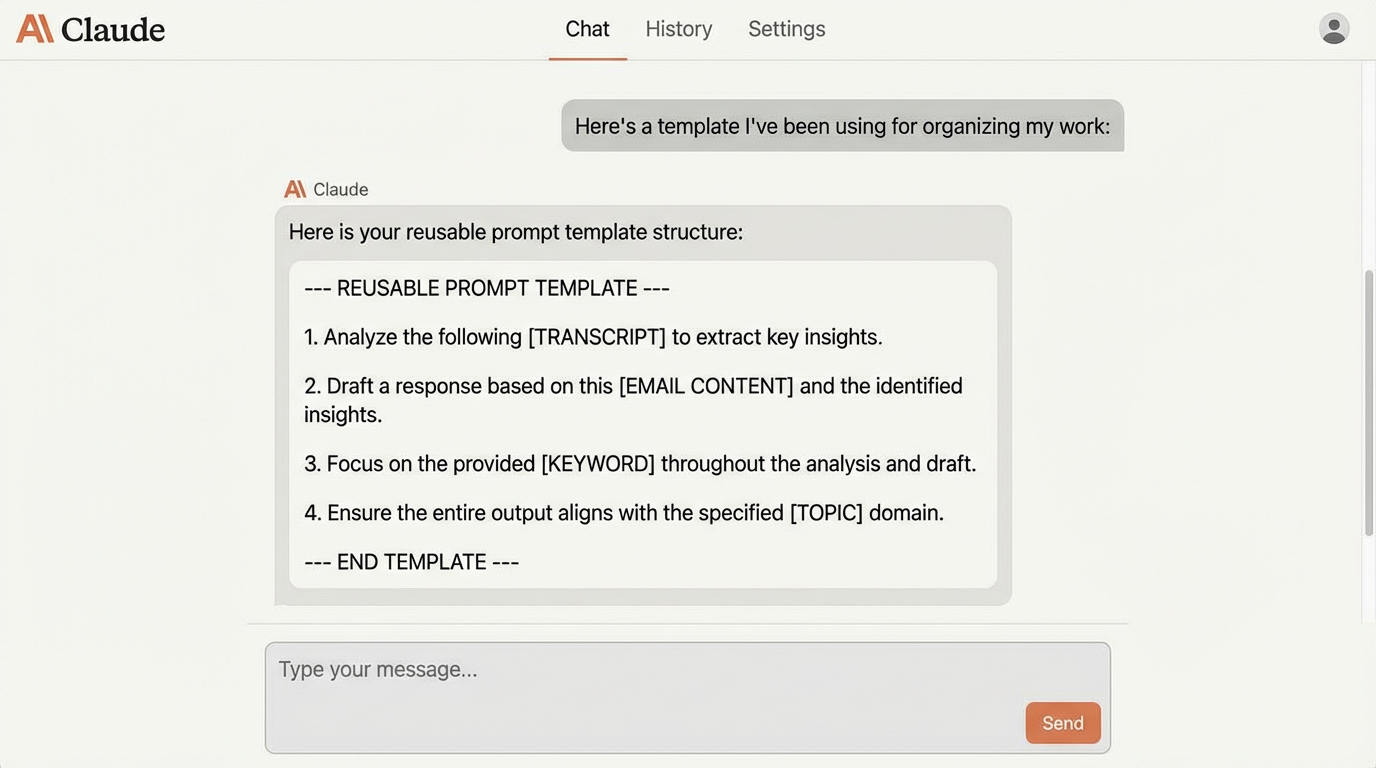
Meeting Summary Template: "Summarize this meeting transcript:
- Key decisions made with rationale
- Action items (who, what, when, dependencies)
- Open questions requiring follow-up
- Next steps with timeline
- Risks or concerns mentioned
[TRANSCRIPT]"
Email Response Template: "Draft a professional email response to: [EMAIL CONTENT]
Tone: [Professional/Friendly/Firm/Apologetic] Length: [Concise/Detailed] Objective: [Clarify/Decline/Accept/Request/Escalate] Key Points to Address: [List 2-3 specific items] Constraints: [Response deadline, approval needed, etc.]"
Code Review Template: "Review this code focusing on:
- Logic errors and edge cases
- Performance optimization opportunities
- Security vulnerabilities
- Code readability and maintainability
- Adherence to [language] best practices
[CODE]"
Content Edit Template: "Edit this content for:
- Clarity and conciseness
- Grammar and spelling
- Tone consistency ([casual/professional/technical])
- SEO optimization for keyword: [KEYWORD]
- Reading level: [specify grade level or audience]
[CONTENT]"
Batch Processing
Process multiple similar items efficiently using Claude's ability to follow structured instructions:
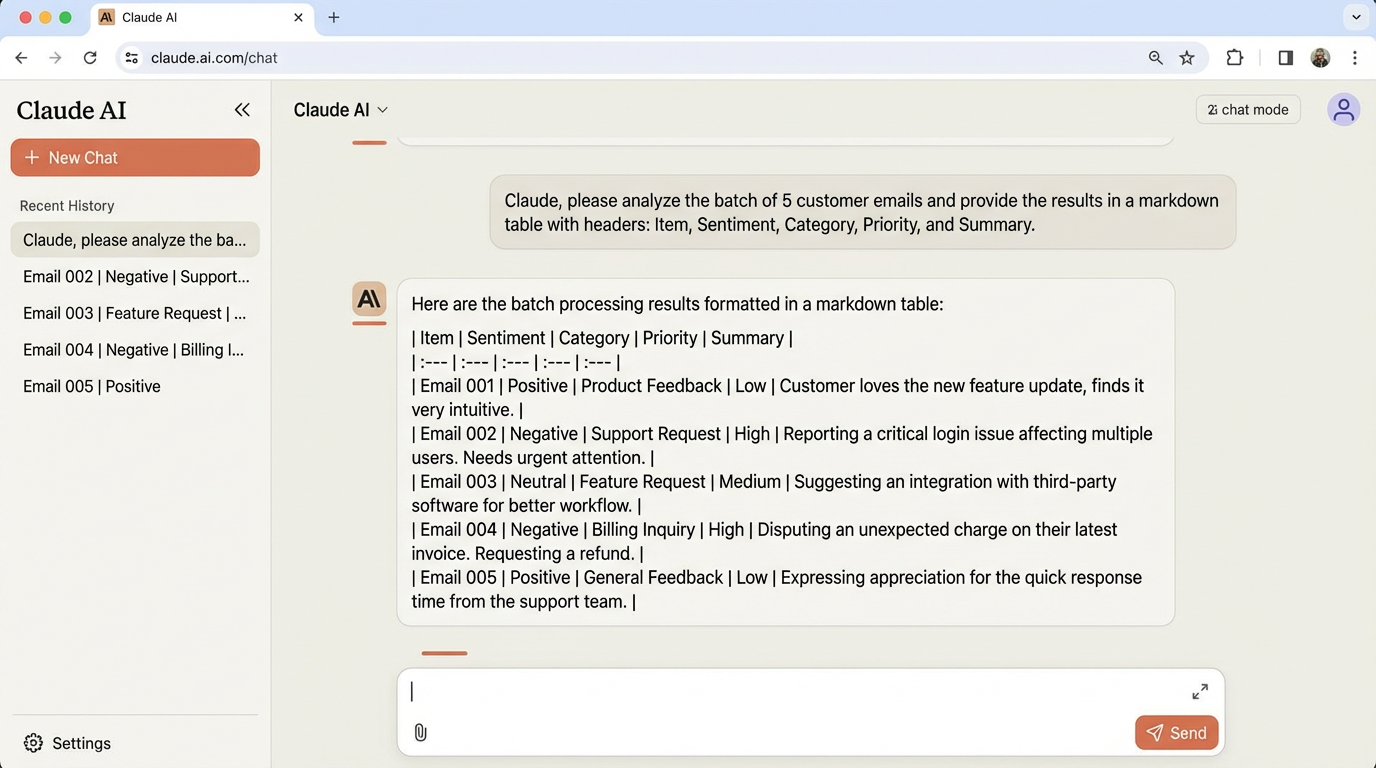
Batch Analysis: "I have 10 customer reviews to analyze. For each, extract:
- Overall sentiment (Positive/Negative/Mixed) with confidence score
- Key praise points (top 3)
- Main complaints (top 3)
- Feature requests
- Urgency level (High/Medium/Low)
Present results in a markdown table with columns: Review #, Sentiment, Praise, Complaints, Requests, Urgency."
Bulk Data Transformation: "I have a list of 50 company names. For each:
- Standardize the format (remove Inc., LLC, etc.)
- Extract industry from the name if possible
- Flag any duplicates
- Sort alphabetically
[LIST]"
Multi-Email Processing: "I received 15 customer support emails. Categorize each into:
- Technical issue (needs engineering)
- Billing question (needs finance)
- Feature request (needs product)
- General inquiry (needs support)
Then draft template responses for each category."
This batch processing approach saves hours on repetitive tasks. One customer support team reduced email triage time from 3 hours to 20 minutes daily using this workflow.
Conclusion
Mastering Claude is about understanding its conversational nature and leveraging its extended context capabilities. The techniques in this guide represent hundreds of hours of real-world testing and refinement.
Start with the basics—clear prompts and focused conversations. Then gradually incorporate advanced techniques like multi-source synthesis, extended context work, and collaborative problem-solving.
The most successful Claude users treat it as a collaborative partner, not a command-line tool. They provide context, give feedback, and iterate toward better results.
Next Steps:
- Create 3 conversation templates for your most common tasks
- Practice the Socratic Method on a real problem you're facing
- Experiment with document analysis on a report or article
- Try batch processing on a repetitive task
Remember: Claude gets better as you get better at using it. Invest time in mastering these techniques, and you'll see exponential returns in productivity and output quality.
Ready to Implement This Workflow?
Start using Claude AI today and follow this step-by-step guide to save hours every week.
Get Claude Pro