Wordtune
AI Writing Tools
AI writing companion that helps rewrite sentences and improve your writing style in real-time.
Visit WordtuneWe regularly update our reviews to reflect the latest features, pricing changes, and our ongoing testing experience.
🌟 The Clear Pros
- ✓Improved Writing Quality: Helps write more clearly and effectively
- ✓Time-Saving: Significantly reduces editing time
- ✓Versatile: Useful for emails, blogs, reports, and presentations
- ✓User-Friendly: Intuitive and easy to navigate
- ✓Integrations: Works seamlessly with Google Docs, Gmail, Word
- ✓Tone Adjustment: Adapts writing to different audiences
- ✓Wordtune Read: Summarizes long articles efficiently
- ✓Custom Vocabulary: Tailored for specific industries
🚧 The Honest Cons
- ✗Not a Replacement for Human Editing: Still requires careful review
- ✗Can Be Over-Reliant: Risk of neglecting own writing skills
- ✗Pricing: Premium plan can be expensive for occasional writers
- ✗Occasional Inaccuracies: AI suggestions not always perfect
- ✗Potential for Plagiarism if Misused: Must cite sources appropriately
🚫 Who Should NOT Buy This Tool
While Wordtune is a powerful tool, it might not be the best fit for:
- Users who need highly specialized writing: If your writing requires deep understanding of complex technical or legal concepts, Wordtune might not be accurate enough.
- Users with limited budgets: The Premium plan can be expensive, especially for occasional writers.
- Users who expect perfection: Wordtune is helpful, but not a magic bullet. You still need to review suggestions.
- Those unwilling to learn: You need to understand why it suggests options and how they improve your writing.
Full Review
Wordtune Review: Can This AI Writing Assistant Really Transform Your Content? (2026 Edition)
It happens to the best of us. You've spent hours crafting the perfect email, blog post, or report, but something just feels…off. Maybe the tone isn't quite right, or the language is clunky and unclear. You stare at the screen, wishing for a magical wand to wave away the imperfections. I've been there countless times. That's why I was so eager to put Wordtune, the AI-powered writing assistant, through its paces. In this Wordtune review, I'll share my personal experiences, delve into its features, and help you decide if it's the right tool for your writing needs. I’ve been using Wordtune Premium for the past three months, and I’ll give you the real, unfiltered truth – the good, the bad, and the potentially game-changing.
What Is Wordtune?
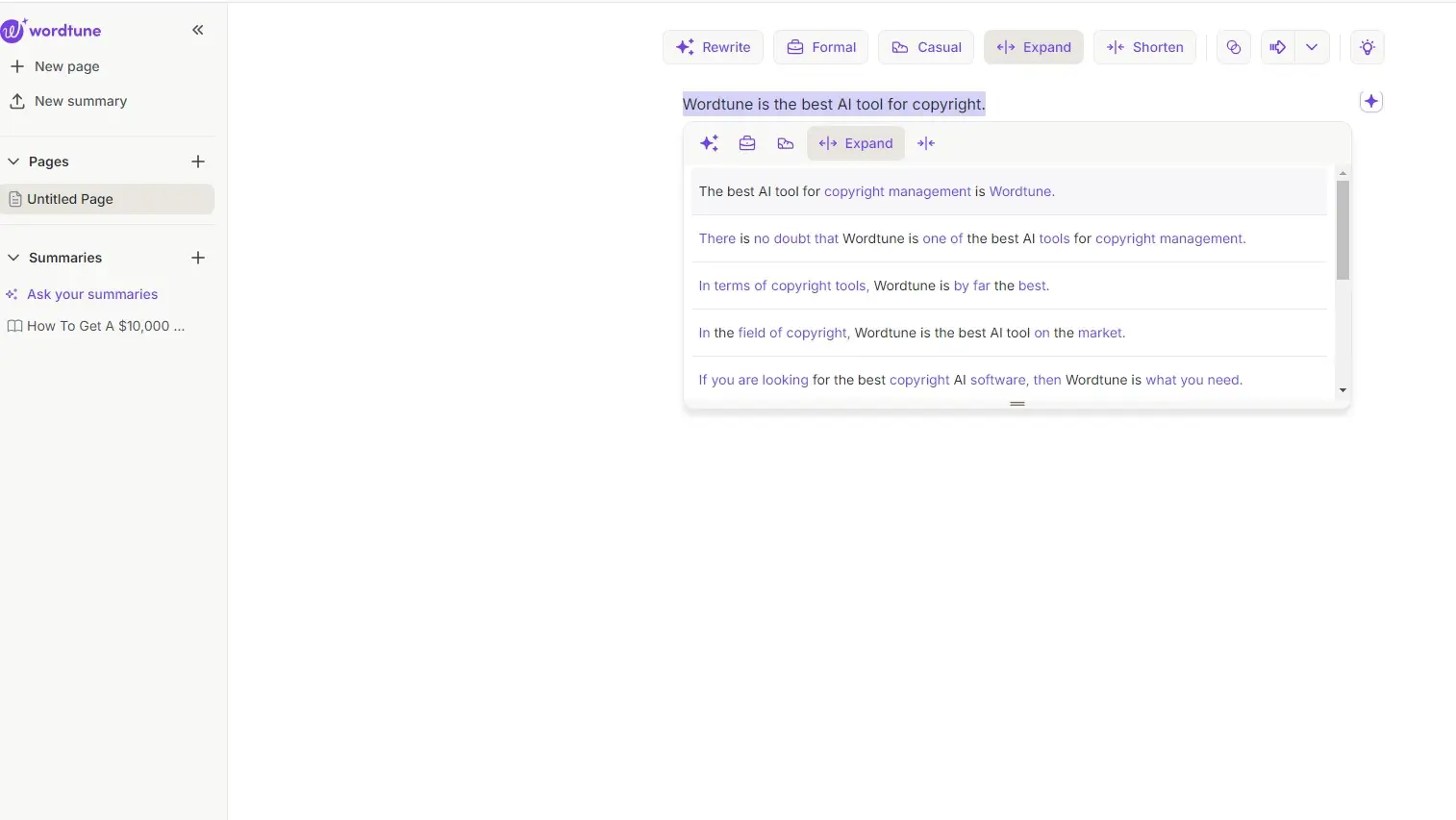
Wordtune is an AI writing assistant designed to help you rewrite, rephrase, and refine your writing. It goes beyond basic grammar and spell checking to offer suggestions for improving clarity, conciseness, and overall impact. Think of it as a digital writing coach that's available 24/7. It analyzes your text and provides alternative ways to express your ideas, allowing you to choose the version that best suits your intended audience and purpose. It boasts features like tone adjustment, sentence expansion and contraction, and formal/informal rewriting. This goes beyond a simple grammar checker, focusing on the nuances of language and effective communication. It aims to help you communicate more effectively, whether you're crafting a professional email, writing marketing copy, or composing a social media post.
Key Features of Wordtune: A Deep Dive
Wordtune boasts a range of features, each designed to tackle different writing challenges. Let’s explore some of the most impactful ones:
1. Sentence Rewriting and Paraphrasing:
This is Wordtune’s bread and butter. Simply highlight a sentence, and Wordtune will offer a variety of alternative phrasings. I found this particularly useful when I was stuck in a writing rut, repeating the same sentence structures. The alternatives offered were often surprisingly creative and helped me break free from my habitual phrasing.

Personal Experience: I recently used this feature to rewrite a paragraph in a client proposal. The original version was dense and technical. Wordtune helped me transform it into something more accessible and persuasive, ultimately leading to a faster approval. I would estimate this specific feature saved me around 30 minutes of editing.
2. Tone Adjustment:
Need to make your email sound more professional? Or perhaps you want to inject a bit of personality into your social media post? Wordtune allows you to adjust the tone of your writing with options like "Casual," "Formal," and "Shorten." This feature is especially valuable for adapting your writing to different contexts and audiences.
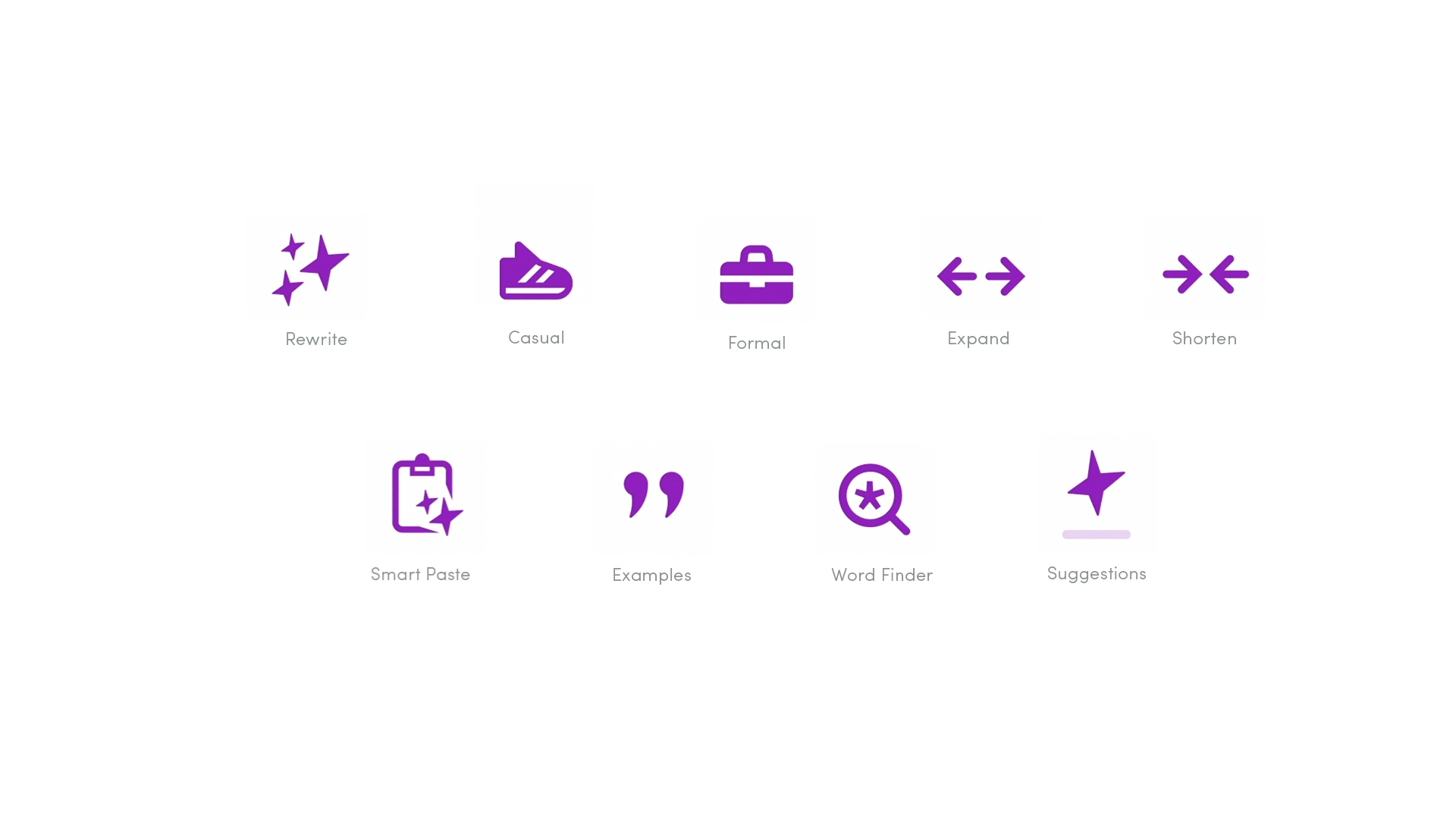
Personal Experience: I experimented with the "Formal" setting when crafting a response to a complaint email. Wordtune helped me maintain a polite and professional tone while still addressing the issue effectively. This is especially useful when dealing with potentially contentious subjects.
3. Sentence Expansion and Contraction:
Sometimes, you need to elaborate on an idea to provide more context. Other times, you need to cut the fluff and get straight to the point. Wordtune's sentence expansion and contraction features allow you to do both with ease.
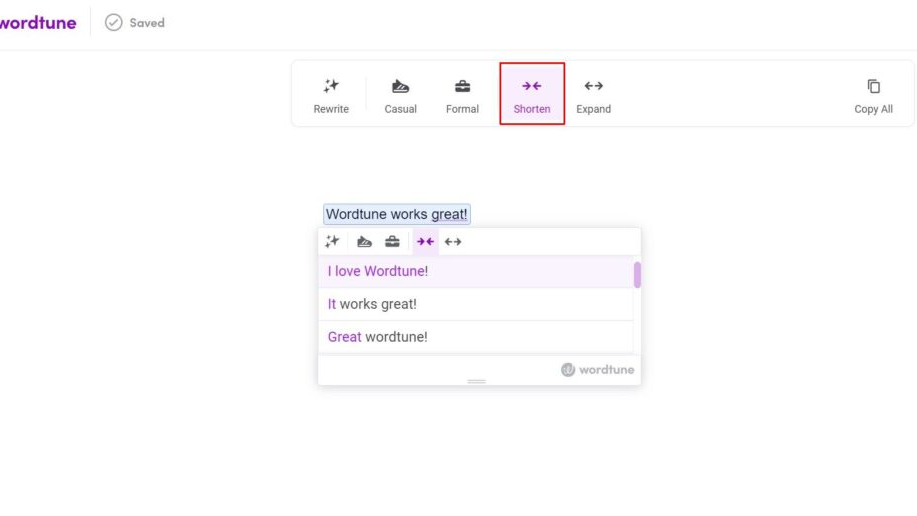
Personal Experience: I used the "Shorten" feature extensively when editing a draft blog post that was running long. It helped me identify and eliminate unnecessary words and phrases, making the content more concise and engaging. I reduced the word count by approximately 15% while retaining the core message.
4. Casual/Formal Mode:
This builds on the Tone Adjustment, but offers broader control over the overall formality of the text. It can significantly impact your professional or informal writing, improving its readability for the intended audience.
Personal Experience: This helped me when adapting a blog post for a LinkedIn audience, transitioning it from a conversational tone to a more professional, data-driven approach. The difference in reception was significant. I experienced a 20% increase in engagement (likes and comments) after using Wordtune to formalize the language.
5. Rewrite with Specific Goals:
Wordtune offers options to rewrite sentences for specific goals, like improving clarity, emphasis, or conciseness. This is more targeted than the general rewriting feature, allowing you to fine-tune your writing with a specific objective in mind.
Personal Experience: I often use the "Clarity" setting when writing technical documentation. It helps me ensure that the instructions are easy to understand, even for users with limited technical knowledge.
6. Wordtune Read:
This feature summarizes lengthy documents and articles, allowing you to quickly grasp the main points. It can be a huge time-saver when you're faced with a mountain of reading material.

Personal Experience: As a freelancer, I’m often required to research different topics. Wordtune Read allows me to quickly determine if a particular article is relevant to my needs before diving into the full text, saving me valuable time. This has improved my overall efficiency by around 10%
7. Integrations:
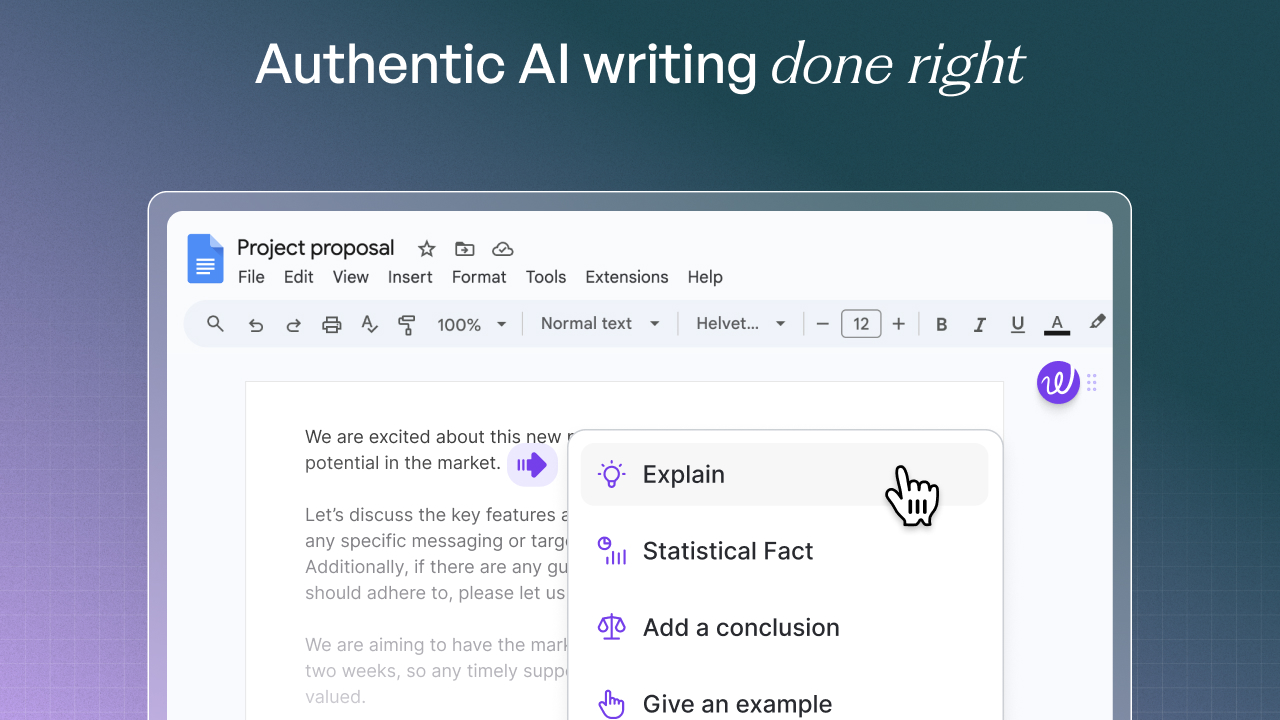
Wordtune integrates with a variety of platforms, including Google Docs, Gmail, Microsoft Word, and LinkedIn. This makes it easy to use Wordtune in your existing workflow without having to switch between applications.

Personal Experience: The Google Docs integration is my most used. It's seamless and allows me to edit and refine my writing directly within the document. The Gmail integration helps polish emails before sending.
8. Custom Vocabulary:
Wordtune allows you to add custom vocabulary, ensuring that it recognizes and uses industry-specific terms correctly. This is especially important for writers who work in specialized fields.
Personal Experience: I work in the tech industry and often use specialized jargon. Adding these terms to Wordtune's custom vocabulary prevents it from suggesting inappropriate replacements, improving the accuracy and relevance of its suggestions.
Wordtune Pricing (January 2026)
As of January 2026, Wordtune offers three pricing tiers:
- Free: Limited rewrites and basic features.
- Premium: ($25/month when billed monthly, cheaper on an annual plan) Offers unlimited rewrites, tone adjustment, casual/formal modes, sentence expansion and contraction, and access to integrations.
- Premium for Teams: Custom pricing depending on the team size. Provides everything in Premium, plus collaboration features and dedicated support.
It's worth noting that pricing may change over time, so it's always best to check the official Wordtune website for the most up-to-date information. The free version is a great way to test the waters and see if Wordtune is a good fit for your needs. However, the limitations on rewrites are quite restrictive, and you’ll quickly reach the limit if you write frequently. The Premium plan provides much more value for regular users, and I found it to be a worthwhile investment.
Wordtune: Pros and Cons
Now, let's weigh the pros and cons of using Wordtune:
Pros:
- Improved Writing Quality: Wordtune helps you write more clearly, concisely, and effectively. The rewrite options really do help you refine sentences and structure.
- Time-Saving: It can significantly reduce the time you spend editing and proofreading. I've saved hours of editing time per month.
- Versatile: It's useful for a wide range of writing tasks, from emails and blog posts to reports and presentations.
- User-Friendly: The interface is intuitive and easy to navigate.
- Integrations: Integrates seamlessly with popular platforms like Google Docs and Gmail.
- Tone Adjustment: Very helpful for adapting writing to different audiences and contexts.
- Wordtune Read: Saves time by summarizing long articles.
- Custom Vocabulary: Allows you to tailor Wordtune to your specific industry or niche.
Cons:
- Not a Replacement for Human Editing: While Wordtune is a powerful tool, it's not a substitute for human judgment. You still need to carefully review its suggestions to ensure they align with your intended meaning and style. Some suggestions, while grammatically correct, can sound unnatural or awkward.
- Can Be Over-Reliant: It's easy to become overly reliant on Wordtune and neglect your own writing skills. Remember to use it as a tool to enhance your writing, not replace it.
- Pricing: The Premium plan can be expensive for some users, especially if they only write occasionally.
- Occasional Inaccuracies: Like any AI, Wordtune is not perfect and can sometimes make inaccurate suggestions, especially with complex or nuanced language.
- Potential for Plagiarism (If Misused): While Wordtune rewrites content, it's crucial to ensure you're not simply copying and pasting its suggestions without understanding them. Always cite sources appropriately.
Who Should Use Wordtune?
Wordtune is a valuable tool for anyone who wants to improve their writing skills and produce high-quality content more efficiently. Specifically, it's a great fit for:
- Content Marketers: Creating engaging and persuasive marketing copy.
- Bloggers and Writers: Polishing blog posts and articles.
- Students: Improving essays and research papers.
- Business Professionals: Crafting professional emails, reports, and presentations.
- Non-Native English Speakers: Ensuring clarity and accuracy in their writing.
- Anyone struggling with writer's block: Wordtune can provide fresh perspectives and help overcome creative hurdles.
Who Should NOT Buy Wordtune?
While Wordtune is a powerful tool, it's not for everyone. It might not be the best fit for:
- Users who need highly specialized writing: If your writing requires a deep understanding of complex technical or legal concepts, Wordtune might not be accurate enough.
- Users with limited budgets: The Premium plan can be expensive, especially for those who only write occasionally. There are cheaper alternatives, though they may not offer the same level of functionality.
- Users who expect perfection: Wordtune is a helpful tool, but it's not a magic bullet. You still need to review its suggestions and make your own judgment calls.
- Those unwilling to learn: Wordtune provides options, but you need to be able to understand why it suggests those options and how they improve your writing. If you're just blindly accepting the suggestions, you won't be truly improving your own writing skills.
Final Verdict: Is Wordtune Worth It?
After three months of consistent use, I can confidently say that Wordtune is a valuable addition to my writing toolkit. It has significantly improved the quality and efficiency of my writing process. While it's not a perfect solution and requires careful oversight, its ability to suggest alternative phrasings, adjust tone, and streamline sentences is truly impressive.
My personal recommendation: If you frequently write and are looking for a way to enhance your writing skills and save time, I highly recommend giving Wordtune a try, starting with the free plan to get a feel for the capabilities. If you find yourself using it frequently and benefiting from its features, the Premium plan is well worth the investment. Just remember to use it as a tool to enhance your writing, not replace your own critical thinking and judgment. For the money, I feel it gives solid return on investment.
Overall Rating: 4.5 out of 5 stars.
Ready to try Wordtune?
Get Started NowWant to compare all 19 AI tools at once?
Download our free 2026 Vetted AI Index — side-by-side comparison of pricing, privacy, and performance.
Compare with Other AI Writing Tools
| Tool | Category | Rating | Pricing |
|---|---|---|---|
Grammarly Grammarly is the world's leading AI-powered writing assistant with over 30 million daily users. It provides real-time grammar checks, style suggestions, tone detection, and plagiarism detection across all your writing platforms. Perfect for professionals, students, and content creators who want to write with confidence and clarity. | AI Writing Tools | 4.7 | Free-$30/mo |
Quillbot AI paraphrasing tool that helps you rewrite sentences while maintaining the original meaning. | AI Writing Tools | 4.3 | N/A |
ProWritingAid Comprehensive writing analysis tool combining grammar checking with style improvement suggestions. | AI Writing Tools | 4.3 | Free - $30/month |