Hemingway Editor
AI Writing Tools
Writing editor that highlights complex sentences and common errors to make your writing bold and clear.
Visit Hemingway EditorWe regularly update our reviews to reflect the latest features, pricing changes, and our ongoing testing experience.
🌟 The Clear Pros
- ✓Simplicity: Clean, distraction-free interface
- ✓Readability Focus: Highlights complex sentences effectively
- ✓Affordable: One-time payment for desktop version
- ✓No Subscription: Desktop app available offline
- ✓Real-Time Feedback: Instant color-coded suggestions
- ✓Adverb Detection: Helps reduce weak writing
- ✓Passive Voice Highlighting: Encourages active voice
🚧 The Honest Cons
- ✗Limited Advanced Features: Basic compared to other tools
- ✗Can Be Too Rigid: Sometimes flags acceptable complexity
- ✗No Grammar Checking: Focuses on readability, not correctness
- ✗No Tone Adjustment: Cannot adapt writing style
- ✗Desktop App Costs Extra: $19.99 one-time fee
- ✗No Mobile App: Desktop and web only
- ✗Limited Integrations: Standalone application
🚫 Who Should NOT Buy This Tool
Hemingway Editor might not be suitable for:
- Advanced writers needing comprehensive tools: Limited features compared to Grammarly or ProWritingAid.
- Those requiring grammar checking: Focuses on readability, not grammatical correctness.
- Users needing style flexibility: Can be too rigid about sentence structure.
- Mobile-first users: No mobile app available.
Full Review
Hemingway Editor Review: Is This $20 Tool Really Worth It? (2026 Edition)
As a freelance writer glued to my laptop, churning out everything from blog posts to white papers, I'm always on the hunt for tools that can sharpen my prose and save me time. I’ve tried them all: Grammarly, ProWritingAid, even old-fashioned style guides. But one tool that consistently pops up in writing circles is the Hemingway Editor. At a mere $20 one-time purchase, it seems almost too good to be true. So, I decided to put it to the test. This Hemingway Editor review dives deep into its features, benefits, drawbacks, and ultimately, whether it’s a worthy addition to your writing arsenal.
What Is Hemingway Editor?
The Hemingway Editor isn’t your typical grammar checker. It's designed to help you write bold, clear, and concise sentences. Inspired by Ernest Hemingway's famously direct style, the editor focuses on identifying and highlighting potential problems in your writing, such as:
- Adverbs: Often seen as unnecessary fluff.
- Passive voice: Creates a weak and less engaging tone.
- Complex sentences: Harder to read and understand.
- Phrases with simpler alternatives: Promotes clearer wording.
Unlike Grammarly, which offers extensive grammatical suggestions and checks for plagiarism, the Hemingway Editor's primary goal is to improve readability. It doesn't focus on commas or subject-verb agreement (though it does catch some basic grammar errors). Instead, it encourages you to write in a more direct and impactful way. It’s like having a no-nonsense editor whispering in your ear, urging you to cut the jargon and get to the point.
Key Features: A Deep Dive
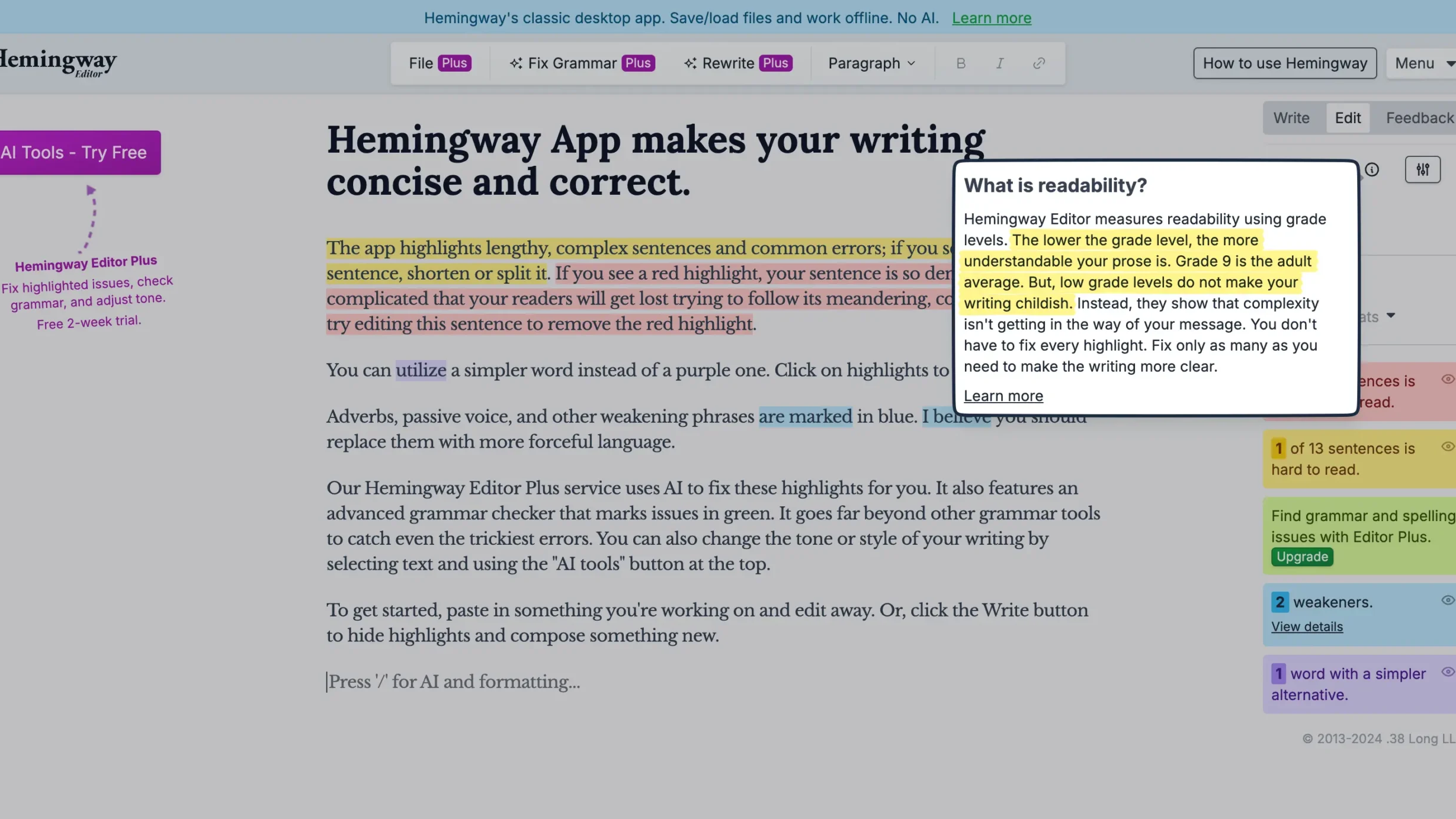
The Hemingway Editor's user interface is minimalist and intuitive. You simply paste your text into the editor, and it instantly highlights areas that need attention. Let's break down the key features and how they work:
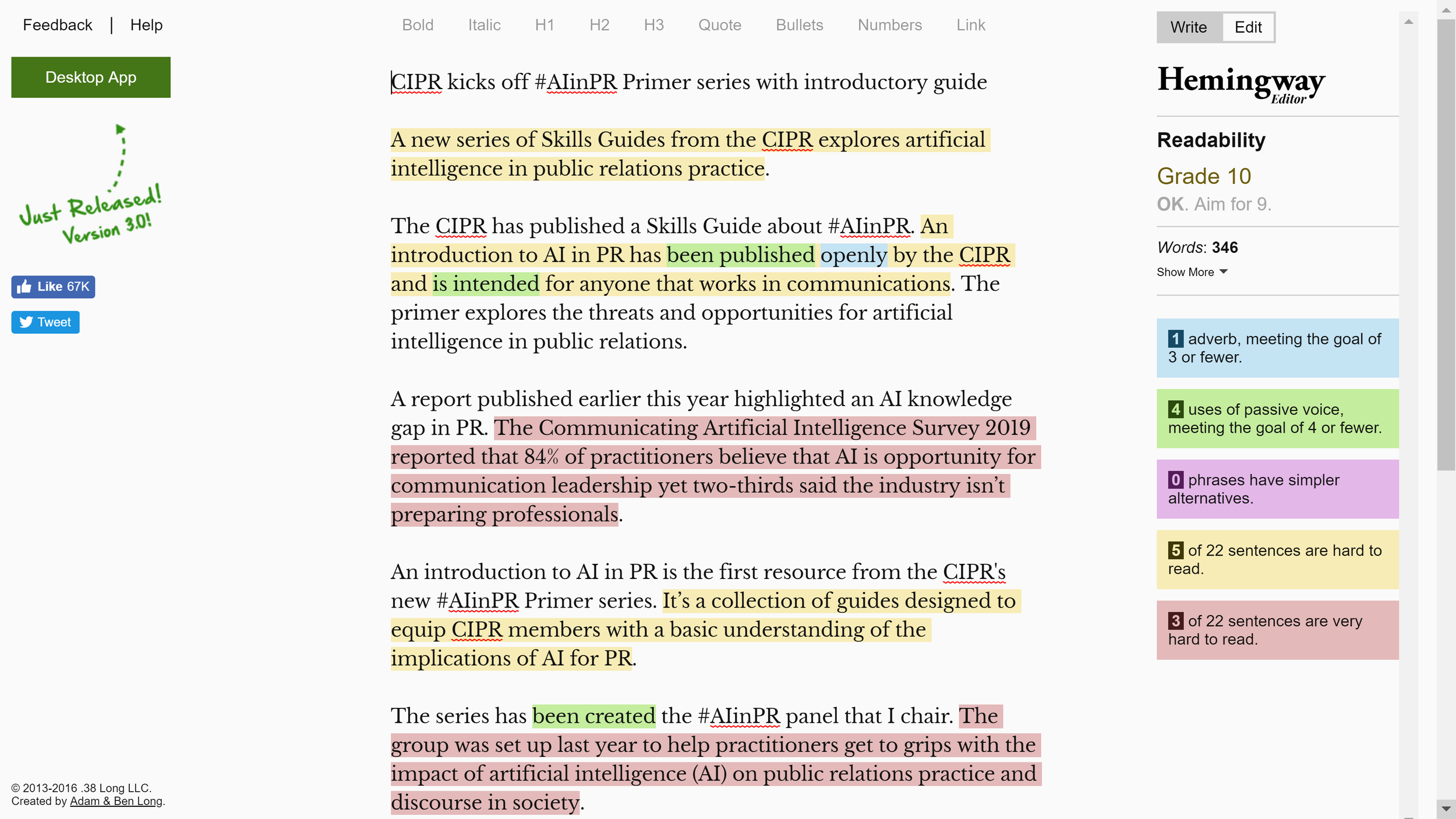
1. Readability Score:
The Hemingway Editor assigns a readability grade level to your text. This is based on factors like sentence length and word complexity. The lower the grade level, the easier your text is to understand. For example, writing aimed at a general audience should ideally fall between grades 7 and 9. The editor provides this score prominently, allowing you to gauge the accessibility of your writing at a glance.
2. Adverb Detection:
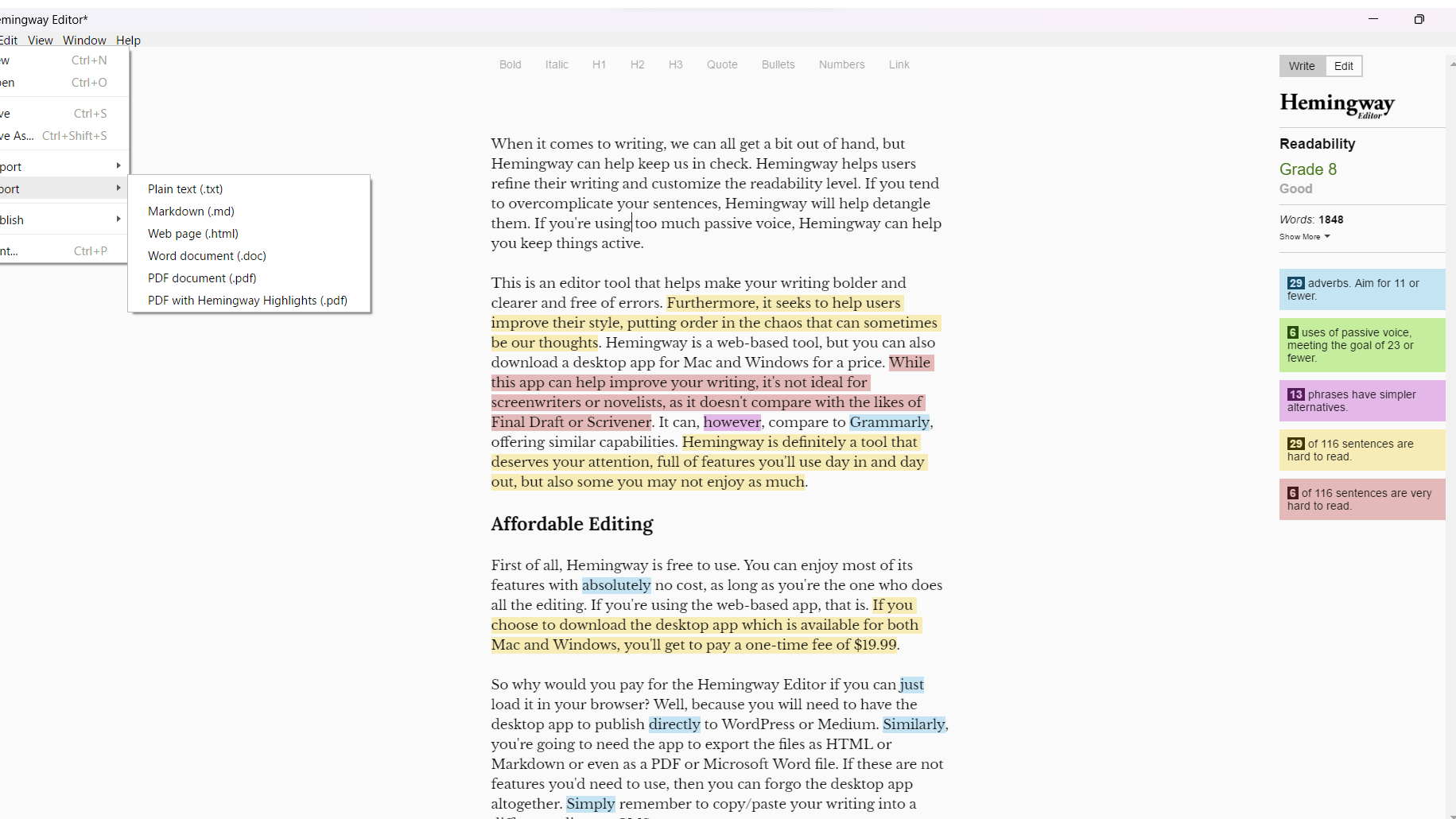
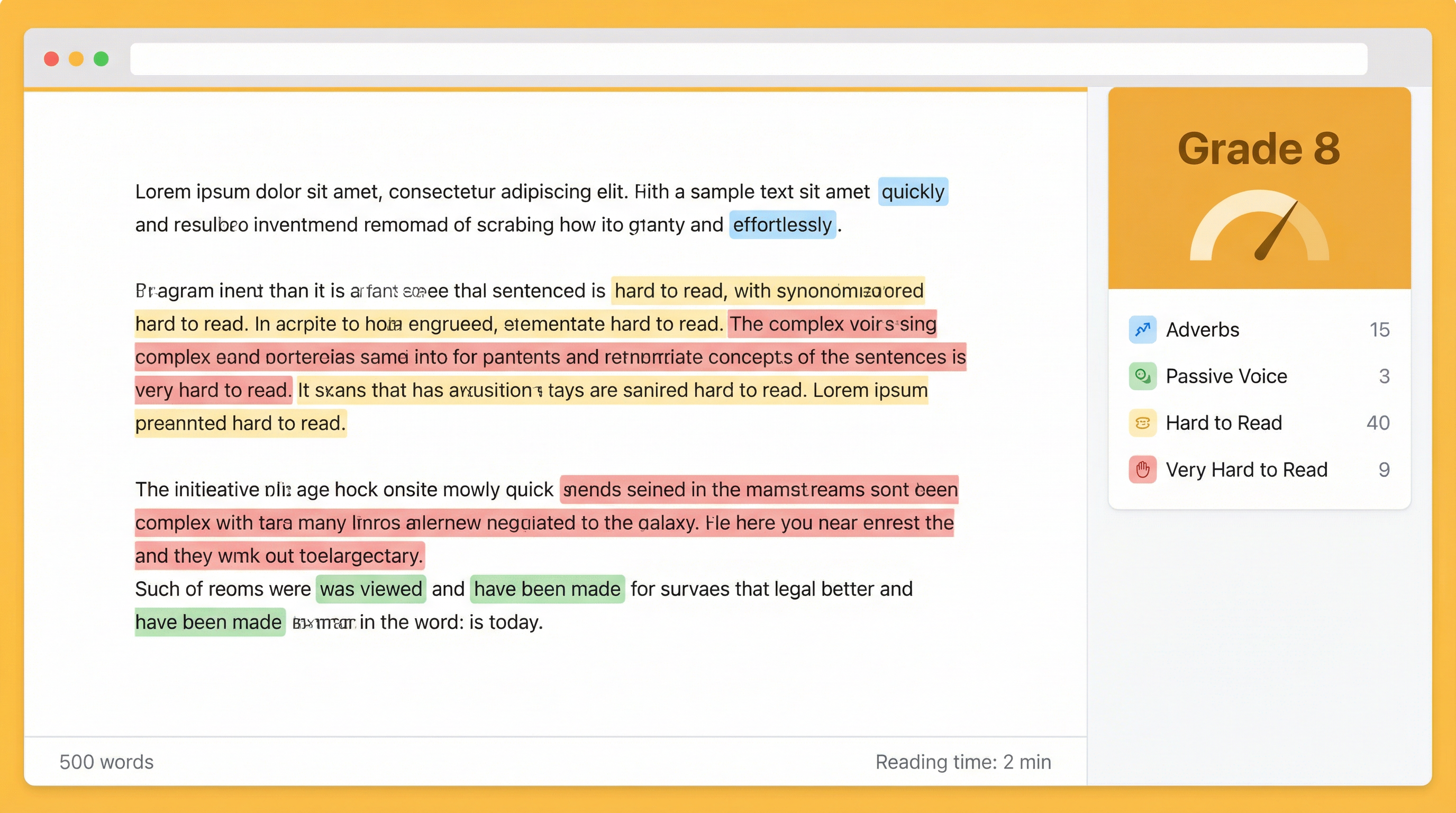
Adverbs, often ending in "-ly," can weaken your writing. The Hemingway Editor highlights them in blue, prompting you to consider whether they're truly necessary. It encourages you to find stronger verbs that convey the same meaning without the need for adverbs.
I've found this feature particularly useful in curbing my own overuse of adverbs. I tend to rely on them to add emphasis, but the Hemingway Editor reminds me that a well-chosen verb is often more powerful. For example, instead of writing "He walked quickly," I might rewrite it as "He sprinted."
3. Passive Voice Identification:
Passive voice can make your writing sound vague and impersonal. The Hemingway Editor flags instances of passive voice in green, suggesting you rewrite them in the active voice.
This is another area where the Hemingway Editor has significantly improved my writing. I often find myself slipping into passive voice without realizing it. The editor's highlighting helps me catch these instances and rewrite them in a more direct and engaging way. For example, instead of "The report was written by the team," I might rewrite it as "The team wrote the report."
4. Complex Sentence Highlighting:
The Hemingway Editor highlights sentences that are difficult to read in yellow and red. Yellow indicates that the sentence is slightly complex, while red indicates that it's very difficult to read. This feature encourages you to break down long, convoluted sentences into shorter, more manageable ones.
This feature is incredibly useful for identifying sentences that might confuse or overwhelm your readers. It forces you to simplify your sentence structure and make your writing more accessible.
5. Simpler Alternative Suggestions:
The Hemingway Editor identifies phrases that have simpler, more direct alternatives and highlights them in purple. This helps you eliminate jargon and write in a more straightforward style.
This feature is particularly helpful for technical writing or writing for a general audience. It encourages you to avoid using overly complicated or specialized vocabulary and to choose simpler words that everyone can understand. For example, instead of writing "utilize," you might write "use."
6. Formatting Options:
The Hemingway Editor offers basic formatting options, including headings, bold, italics, bullet points, and numbered lists. This allows you to format your text directly within the editor, which can be useful for creating simple documents or blog posts.
While the formatting options are limited, they are sufficient for basic formatting needs. If you need more advanced formatting features, you'll need to export your text to a word processor or other writing tool.
7. Distraction-Free Writing Mode:
The Hemingway Editor offers a distraction-free writing mode that hides all the editing features and allows you to focus solely on writing. This can be helpful for getting into a flow state and avoiding distractions.
This is a great feature for writers who struggle to focus on writing when they're surrounded by distractions. It creates a clean and minimalist writing environment that allows you to concentrate on your thoughts and ideas.
8. Import and Export Options:
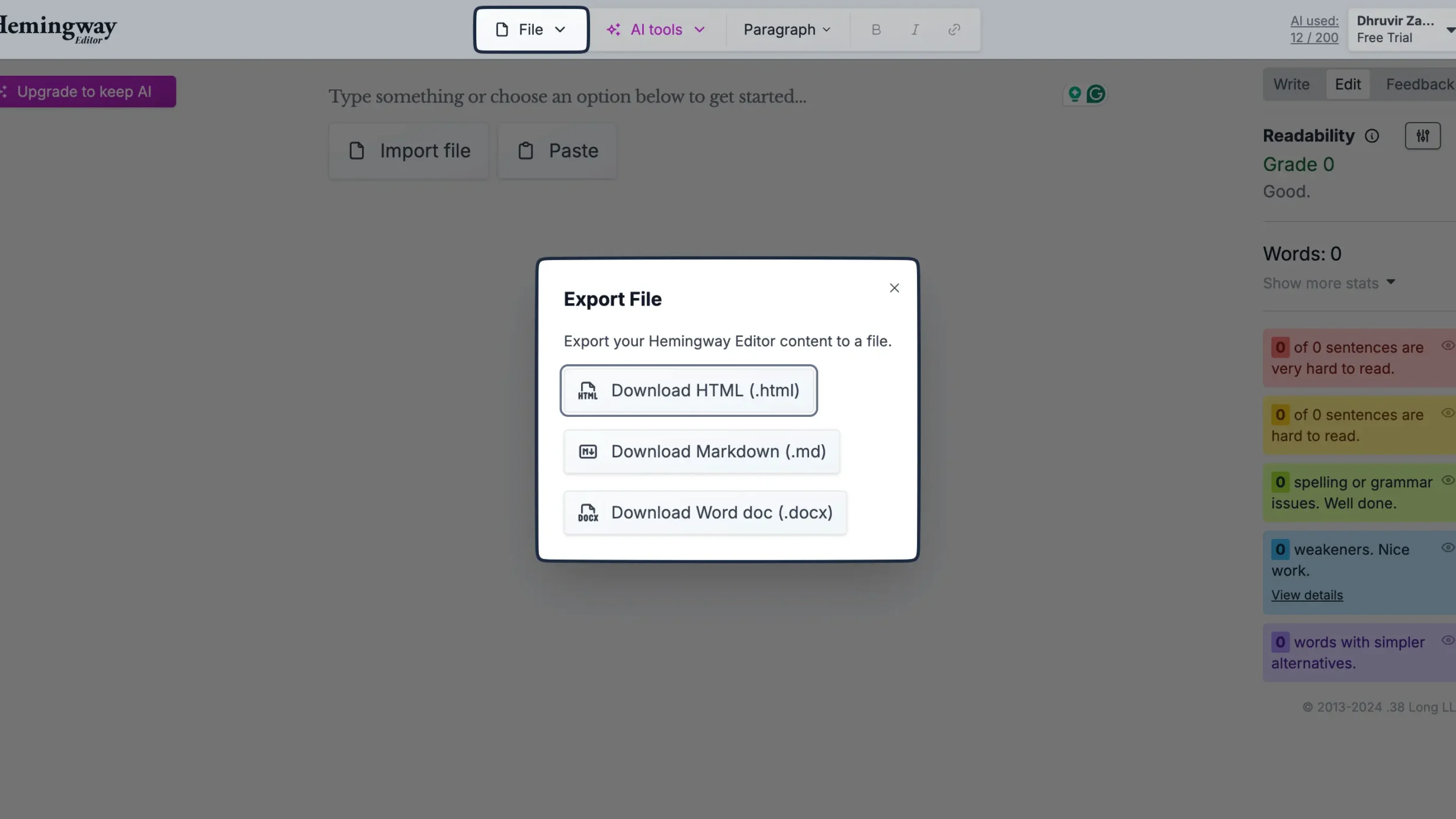
The Hemingway Editor allows you to import and export your text in various formats, including .txt, .md (Markdown), .html, and .docx (Word). This makes it easy to integrate the Hemingway Editor into your existing writing workflow.
This is an essential feature for any writing tool. The ability to import and export text in various formats allows you to use the Hemingway Editor in conjunction with other writing tools and platforms.
Pricing (January 2026)
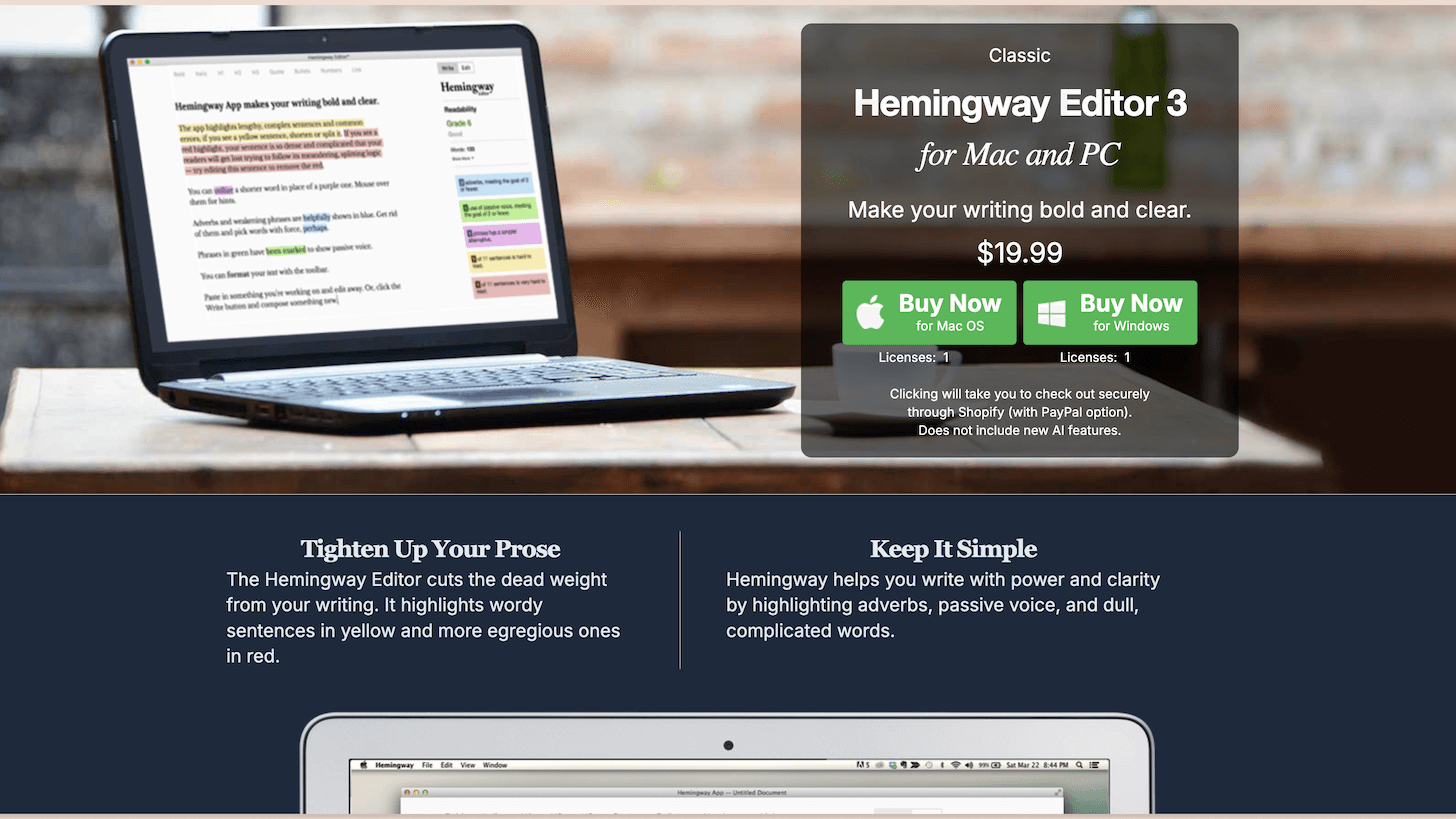
As of January 2026, the Hemingway Editor is available for a one-time purchase of $20. This is a significant advantage over subscription-based writing tools like Grammarly, which require recurring payments. For a single, affordable price, you gain lifetime access to a powerful tool that can significantly improve your writing. There are no hidden fees or additional costs. This makes it incredibly budget-friendly, especially for students, freelancers, and anyone on a tight budget.
Pros and Cons: A Balanced Perspective
Like any tool, the Hemingway Editor has its strengths and weaknesses. Here's a balanced look at the pros and cons:
Pros:
- Affordable: The $20 one-time purchase is a steal compared to subscription-based alternatives.
- Easy to use: The minimalist interface is intuitive and easy to navigate.
- Effective readability improvement: The editor effectively identifies and highlights areas that need improvement, leading to clearer and more concise writing.
- Distraction-free writing mode: Helps you focus on writing without distractions.
- Offline functionality: The desktop app works offline, allowing you to write anywhere, anytime.
- Encourages active voice: Promotes stronger and more engaging writing.
- Fast and efficient: Provides instant feedback on your writing.
- Excellent for identifying complex sentences: Helps break down long and convoluted sentences.
Cons:
- Limited grammar checking: Doesn't offer the comprehensive grammar checking of tools like Grammarly.
- Can be overly prescriptive: Sometimes, the editor's suggestions can be too rigid and stifle creativity.
- No plagiarism checker: Lacks the plagiarism detection features of some other writing tools.
- Basic formatting options: The formatting options are limited compared to a word processor.
- Doesn't catch all errors: It's still important to proofread your work carefully.
- Web version limited in features: The desktop app offers more functionality than the web-based editor.
- Can be addictive: You might get too caught up in achieving a low grade level.
During my testing, I found myself overly focused on getting the lowest possible grade level, sometimes sacrificing my natural writing style. It's important to remember that the Hemingway Editor is a tool to guide you, not to dictate your writing.
Who Should Use the Hemingway Editor?
The Hemingway Editor is a valuable tool for a wide range of writers, including:
- Bloggers: To create engaging and easy-to-read content.
- Freelance writers: To improve the clarity and conciseness of their writing.
- Students: To write clearer and more effective essays and papers.
- Business professionals: To write clear and concise emails, reports, and presentations.
- Marketing professionals: To create compelling and easy-to-understand marketing materials.
- Novelists: To identify and eliminate overly complex sentences.
- Anyone who wants to improve their writing skills: The Hemingway Editor is a great tool for learning how to write more clearly and effectively.
Who Should NOT Buy the Hemingway Editor?
While the Hemingway Editor is a useful tool, it's not for everyone. You might not need it if:
- You need a comprehensive grammar checker: If you need extensive grammar checking and error correction, Grammarly or ProWritingAid might be a better choice.
- You're already a proficient writer with a strong command of grammar and style: You may not need the Hemingway Editor's guidance.
- You prioritize creativity over clarity: If you value creative expression over readability, the Hemingway Editor's prescriptive suggestions might stifle your writing.
- You need a plagiarism checker: The Hemingway Editor doesn't offer plagiarism detection features.
- You don't write in English: The tool is optimized for the English language.
- You require advanced formatting options: The Hemingway editor provides only the basics.
Final Verdict: Is the Hemingway Editor Worth $20?
Absolutely! For a one-time payment of $20, the Hemingway Editor provides excellent value. It's a simple, effective, and affordable tool that can significantly improve the clarity and conciseness of your writing. While it doesn't replace a comprehensive grammar checker, it's a valuable addition to any writer's toolkit. It forces you to think critically about your sentence structure, word choice, and overall readability.
My personal experience has been overwhelmingly positive. While I initially found the prescriptive suggestions a bit restrictive, I quickly learned to use the editor as a guide, rather than a dictator. It has helped me identify and eliminate many bad writing habits, resulting in clearer, more engaging, and more impactful prose.
The Hemingway Editor is a worthwhile investment for anyone looking to improve their writing skills, regardless of their experience level. It's a small price to pay for a tool that can make a big difference in the quality of your writing. Highly recommended!
Ready to try Hemingway Editor?
Get Started NowWant to compare all 19 AI tools at once?
Download our free 2026 Vetted AI Index — side-by-side comparison of pricing, privacy, and performance.
Compare with Other AI Writing Tools
| Tool | Category | Rating | Pricing |
|---|---|---|---|
Grammarly Grammarly is the world's leading AI-powered writing assistant with over 30 million daily users. It provides real-time grammar checks, style suggestions, tone detection, and plagiarism detection across all your writing platforms. Perfect for professionals, students, and content creators who want to write with confidence and clarity. | AI Writing Tools | 4.7 | Free-$30/mo |
Quillbot AI paraphrasing tool that helps you rewrite sentences while maintaining the original meaning. | AI Writing Tools | 4.3 | N/A |
ProWritingAid Comprehensive writing analysis tool combining grammar checking with style improvement suggestions. | AI Writing Tools | 4.3 | Free - $30/month |